 Skip to main content


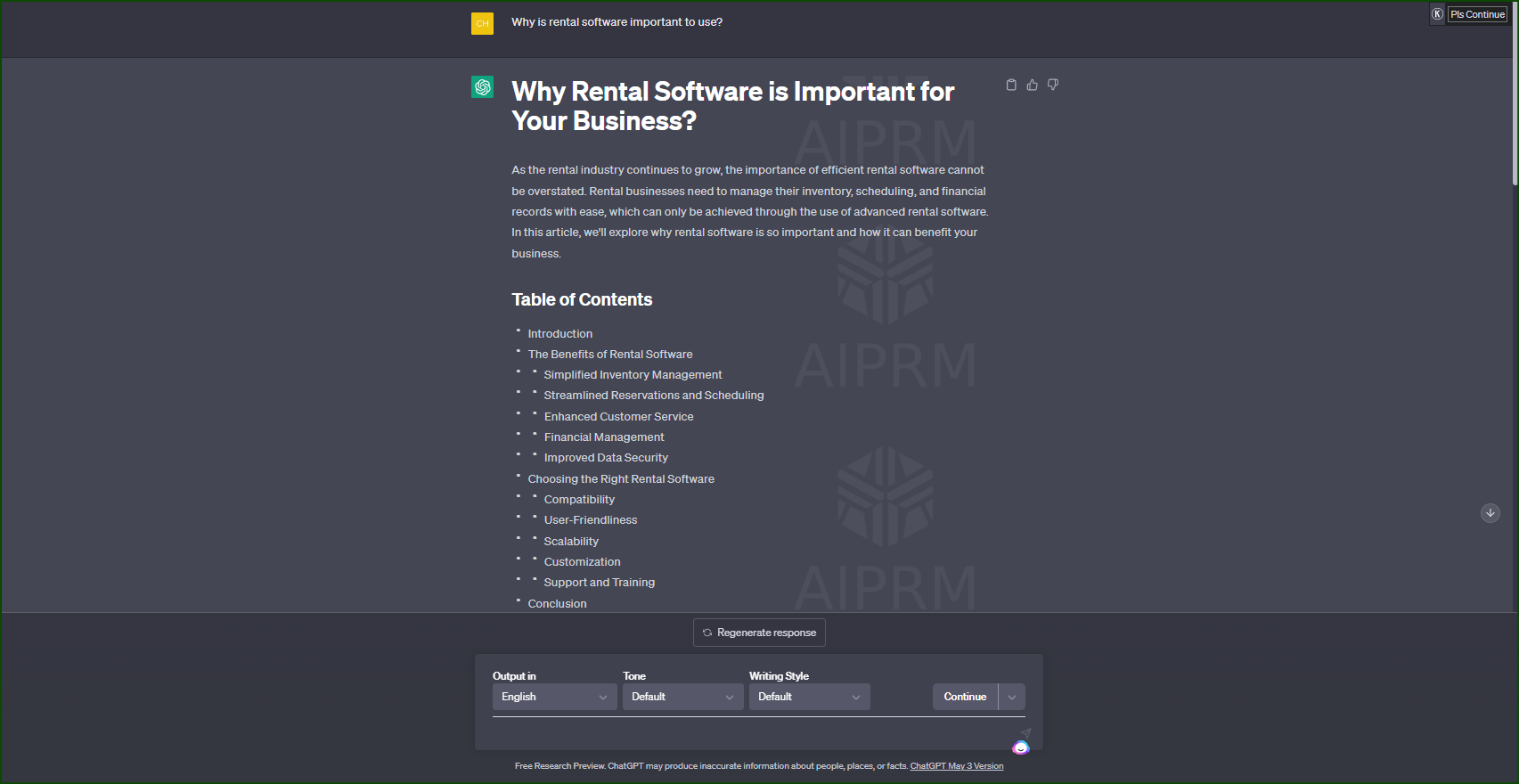
What is ChatGPT?
ChatGPT is an AI chatbot built by OpenAI. It’s like having a research and drafting assistant that can write articles, blog posts, outlines, and other types of content for you. You describe what you want, and ChatGPT generates a draft you can edit — it’s a genuinely useful tool for saving time on the first pass of content creation, though it works best as a starting point rather than a finished product.
How much does it cost? Is it free?
ChatGPT still has a free tier, but it isn’t sold as a fixed “tokens per month” allowance the way it once was marketed. Instead, the free plan gives you access to a capable model with usage limits that flex based on demand (you may hit a temporary cap on messages or on features like image generation and file uploads during busy periods).
For heavier or more reliable use, OpenAI offers paid tiers:
- ChatGPT Plus — around $20/month, with higher usage limits and access to more advanced models and features.
- ChatGPT Pro — a higher-priced tier (roughly $200/month) aimed at power users who need much higher usage caps and access to the most capable models.
- Team, Business, and Enterprise plans — for organizations that need admin controls, higher usage pooled across seats, and stronger data-privacy guarantees.
Pricing and limits change fairly often, so check OpenAI’s official pricing page for current numbers before you quote them anywhere.
How to start using ChatGPT
ChatGPT is available at chatgpt.com. Create a free account, and you’ll see a text box where you can type your topic, question, or instructions.
After you submit a prompt, ChatGPT generates a response you can copy, edit, and refine. From there you can move the text into your website, CMS, or blog platform.
How to use ChatGPT to create content?
Using ChatGPT to draft content is straightforward:
- Choose a topic or goal for your content.
- Go to chatgpt.com and describe what you want — the more specific your instructions, the better the draft.
- Review the generated text and edit it for accuracy, tone, and brand voice.
- Add anything ChatGPT can’t know on its own: your real experience, specific numbers, local details, or a case study.
Treat every draft as a starting point, not a finished piece. Fact-check anything that sounds like a statistic, date, or claim — language models can state things confidently and still get them wrong. Add your own expertise and specifics to make the piece genuinely useful and distinct from generic AI output, since search engines increasingly reward content that shows real experience over content that just summarizes what’s already out there.
Why is producing content for your website important?
This hasn’t changed: high-quality content helps you attract organic traffic, engage your audience, and build authority in your industry. Regularly publishing relevant, useful content still supports your SEO. What has changed is the bar — because AI tools have made it easy to produce large volumes of generic content, search engines have gotten better at rewarding pieces that show real experience, specificity, and usefulness, and at deprioritizing content that reads like a rehash of other pages.
Does ChatGPT support multiple languages?
Yes — ChatGPT works across a wide range of languages, and quality is generally strong for major world languages, though it can be less reliable in less common ones. You can ask it to write in a specific language, adjust for reading level (e.g., “explain this so a beginner can follow it”), or match a particular tone.
How to use ChatGPT for your content strategy
Step 1: Define your content goal and target audience. Before prompting ChatGPT, be clear on what you’re creating and for whom. This shapes how specific your prompts need to be.
Step 2: Choose the right plan for your needs. Start with the free tier if your needs are light; upgrade to Plus or a higher tier if you need more consistent access or higher usage limits.
Step 3: Write a specific prompt. Vague prompts get vague output. Instead of “How to lose weight?” try “What are some effective exercises to lose belly fat for women over 40?” Specific prompts produce more usable drafts.
Step 4: Generate the content. The first draft is a starting point, not a final product.
Step 5: Review, fact-check, and refine. This step matters more than ever — verify any facts, add your own expertise, and edit for your brand voice before publishing.
What about plagiarism and AI content policies?
ChatGPT generates new text rather than copying and pasting from a database, but that doesn’t guarantee the output is fully original or accurate — language models can occasionally reproduce phrasing similar to their training data or state things incorrectly with confidence. It’s still worth running important pieces through a plagiarism checker (such as Grammarly’s or Turnitin’s tools) before publishing.
On the SEO side, search engines like Google have said publicly that they don’t penalize content simply for being AI-assisted — what matters is whether the content is genuinely helpful, accurate, and demonstrates real expertise. Content produced mainly to game rankings, human- or AI-written, is what gets penalized. So the safest approach is the same one good writers have always used: use AI to speed up drafting, but make sure a knowledgeable human reviews, fact-checks, and adds real value before it goes live.
Customizing ChatGPT’s output
Two current ChatGPT features can help you get output that better matches your brand voice, instead of relying on third-party workarounds:
- Custom Instructions (in ChatGPT’s settings): lets you set persistent preferences — like your brand’s tone, preferred formatting, or background context — so you don’t have to repeat them in every prompt.
- Custom GPTs: paid-tier users can build a tailored version of ChatGPT pre-loaded with specific instructions, reference material, or brand guidelines, which is useful if multiple team members are generating content and you want consistent output.
Beyond that, being specific in your prompts is still the most reliable lever: specify the tone, audience, length, structure, and any keywords or phrases you want included or avoided, right in the prompt itself.
What is AIPRM?
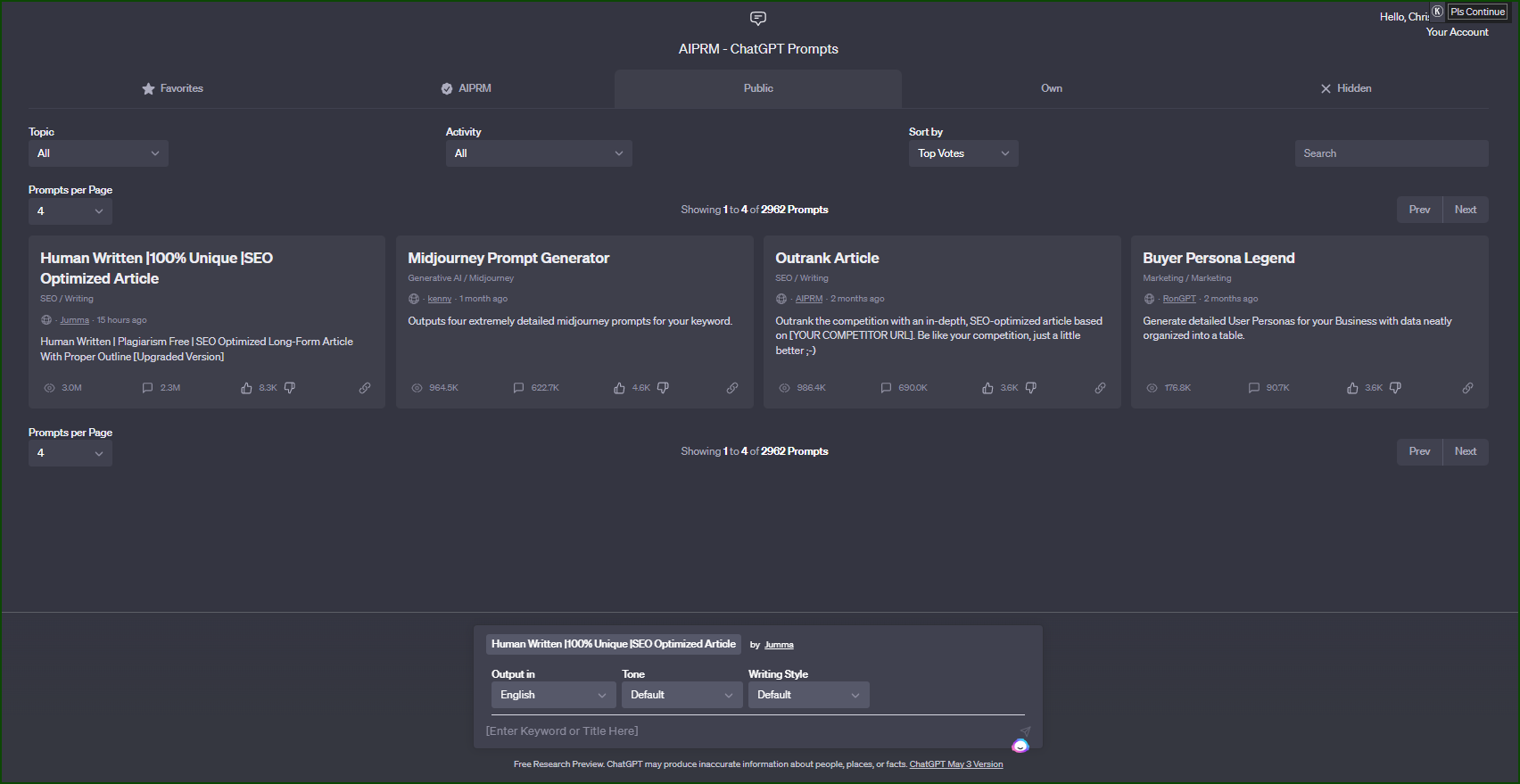
AIPRM is a browser extension — it is not a built-in ChatGPT or OpenAI feature. It adds a sidebar of pre-written, community-submitted prompt templates directly onto the ChatGPT web interface, organized by category (SEO, marketing, coding, and so on), so you can pick a ready-made prompt instead of writing one from scratch.
For content creation, that can mean templates for things like blog outlines, meta descriptions, or social captions, which you then fill in with your own topic and details. It runs on a freemium model — a free tier with limited access to the prompt library, and a paid tier that unlocks more templates and features.
A few things worth knowing before you rely on it:
- Because it’s a third-party tool, not an official OpenAI product, quality and reliability of the prompt library depend on AIPRM’s own team and community, not OpenAI.
- Prompt libraries like this can go stale — a prompt template that worked well on an older model may need adjusting to get the best results from a current one.
- You can get most of the same benefit without installing anything, by saving your own set of effective prompts and reusing them, or by using ChatGPT’s built-in Custom Instructions for things you want applied every time.
How to get AIPRM?
AIPRM is installed as a browser extension (available for Chrome and other Chromium-based browsers) from the extension’s own website or your browser’s extension store — search “AIPRM” to find it. Once installed, it adds its prompt-template sidebar to the ChatGPT page automatically; there’s nothing to activate inside ChatGPT itself, since it isn’t part of OpenAI’s product.
As with any third-party browser extension, it’s worth checking what permissions it requests and reviewing its current privacy policy before installing, since it runs alongside your ChatGPT sessions.
Examples on content that rental business should create
1. Event rentals
Use ChatGPT to draft blog posts and social content that promote your business. Start with a specific prompt (e.g., “How to choose the best rental equipment for a backyard wedding reception”), specify your brand’s tone, and include relevant keywords like “wedding decor,” “reception rentals,” or “bride and groom.” Feed it basic details about your services — location, hours, inventory — so the draft is specific rather than generic. Good formats: tip lists, seasonal guides, and social posts showcasing new inventory.
2. Car rentals
Local SEO content works well here. Optimize pages with location-specific phrases like “car rental in Los Angeles” or “airport car rental in Miami,” and pair that with blog posts about local driving routes or events — for example, a post on Hawaii’s best scenic drives helps customers searching for local information find your business.
3. Equipment rentals
Create dedicated pages for each equipment category, optimized for location-specific terms like “construction equipment rental in Atlanta” or “party rental supplies in Chicago.” Support those pages with blog posts tied to local events or use cases — for instance, a guide to hosting an outdoor graduation party that mentions the equipment you rent out.
4. Vacation rentals
Build individual, well-optimized pages for each property, using location-specific phrases like “beachfront vacation rental in Florida.” Complement these with content about local attractions — a post on the best hiking trails near a Colorado property helps travelers researching the area find you.
Across all of these, the pattern is the same: use ChatGPT to speed up the first draft, but the local specificity, real photos, and firsthand details are what make the content actually useful — and what search engines increasingly reward.

 All in one platform


