 Skip to main content
Smart locks have become a practical upgrade for self storage facilities looking to improve access control, security, and day to day operations. Instead of physical keys or combination locks, smart locks use wireless connectivity to manage who can access a unit and when. For storage operators and property owners, the choice usually comes down to one key decision point: wifi vs bluetooth smart lock.
Bluetooth smart locks rely on short range communication between the lock and a nearby device, usually a smartphone. WiFi smart locks connect to the internet, allowing access and monitoring from virtually anywhere. This smart lock comparison matters because connectivity directly affects convenience, control, cost, and long term scalability in a self storage environment.
Understanding how these two technologies differ helps ensure the lock you choose matches how your facility actually operates rather than adding unnecessary complexity or limitations.
How Smart Locks Actually Work in Self Storage Facilities
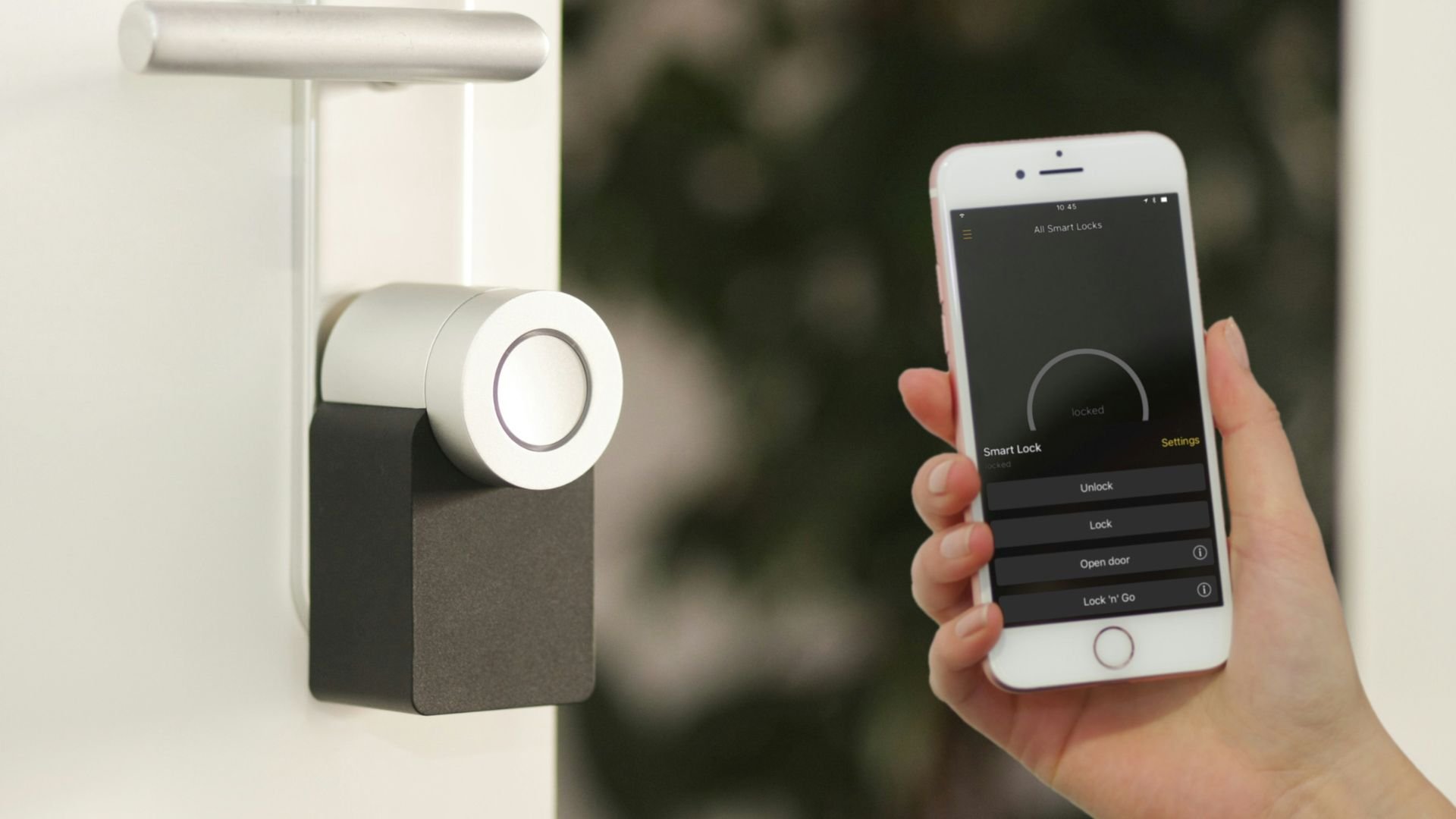
Smart lock on door
At a basic level, smart locks replace traditional mechanical locking mechanisms with electronic components that authenticate users digitally. Instead of turning a key, access is granted through an app, a digital credential, or an authorized device.
Bluetooth smart locks use short range wireless communication. When an authorized phone comes within a few feet of the lock, the two devices authenticate each other and unlock. Everything happens locally, without needing an internet connection.
WiFi smart locks connect to a local network and communicate through cloud-based systems, enhancing the smart home experience. Commands sent from a phone or management platform travel over the internet to the lock. This enables remote access, monitoring, and control of smart devices, even when no one is physically present at the facility.
In self storage, these differences affect how access is granted, how staff manage units, how tenants interact with the facility, and how issues are handled when connectivity changes.
Key Differences Between Bluetooth and WiFi Smart Locks That Matter Most
The distinction between bluetooth smart locks and wifi smart locks becomes clearer when comparing their core features side by side. Each difference influences usability, reliability, and operational overhead.
Range and Connectivity Differences Between Bluetooth and WiFi Locks
Bluetooth smart locks operate within a limited physical range. Access works only when the authorized device is close to the lock, typically within a few feet. This is ideal for on site access but prevents off site control.
WiFi smart locks allow access from anywhere with an internet connection. Managers can unlock or lock units remotely, regardless of location, which can be valuable for multi location operations or remote management models.
Power Consumption and Battery Life Comparison
Bluetooth connections are energy efficient. Because communication happens only during brief interactions, batteries tend to last longer, sometimes many months or even over a year depending on usage.
WiFi smart locks consume more power due to constant network communication. As a result, battery life is usually shorter, and some locks may require more frequent charging or wired power solutions.
Internet Dependency and Infrastructure Requirements
Bluetooth smart locks function entirely offline, making them a reliable option for keyless entry. They do not rely on internet availability, routers, or network stability, which makes them resilient in areas with unreliable connectivity.
WiFi smart locks depend on a stable internet connection. Network outages, weak signals, or router failures can temporarily limit remote features, although many locks retain basic local access functionality.
Remote Access Features and Real Time Notifications
Remote access is where WiFi smart locks stand out. They support real-time alerts, access logs, and instant notifications whenever a smart device is opened or closed.
Bluetooth smart locks generally lack these capabilities. Activity data is often stored locally and synced only when a device connects to the lock in person.
Smart System and Automation Integration Capabilities
WiFi smart locks integrate more easily with broader management platforms, automation systems, and smart property software. This makes them attractive for facilities seeking centralized control and data visibility.
Bluetooth smart locks typically operate as standalone systems with limited integration options.
Bluetooth Smart Locks for Self Storage Units Explained
Bluetooth smart locks focus on simplicity, reliability, and local control. They are often chosen for facilities that prioritize ease of use and low maintenance.
How Bluetooth Smart Lock Pairing and Local Access Works
Bluetooth locks pair with authorized devices through a secure authentication process. Once paired, the lock recognizes the device when it comes within range and grants access, allowing you to unlock your door effortlessly. Communication is encrypted and occurs directly between the lock and the phone, without passing through external servers.
Best Use Cases for Bluetooth Smart Locks in Self Storage
Bluetooth smart locks are well suited for facilities with frequent on-site access, minimal staff turnover, or environments where keyless entry is preferred. They work especially well for smaller storage properties or locations where managers are present daily.
Advantages of Bluetooth Smart Locks for Storage Facilities
Bluetooth smart locks offer several practical benefits:
- Simpler setup and lower upfront cost
- Longer battery life due to low power usage
- Reliable operation without internet connectivity
These advantages reduce operational complexity and ongoing maintenance.
Limitations of Bluetooth Smart Locks in Real World Use
There are also tradeoffs to consider:
- No true remote control capabilities
- Access limited to physical proximity
- Limited integration with larger smart ecosystems
For facilities requiring centralized oversight or remote management, these limitations can become restrictive.
Wi-Fi Smart Locks for Self Storage Units Explained
Wifi
WiFi smart locks prioritize flexibility, visibility, and remote control, which are crucial for modern home security. They are often chosen by larger or more automated storage operations.
How WiFi Smart Locks Enable Internet Based Control
WiFi smart locks connect to cloud platforms that allow commands to be sent remotely. Managers can grant or revoke access, view logs, and receive alerts from anywhere using an app or dashboard.
Ideal Use Cases for WiFi Smart Locks in Storage Operations
WiFi smart locks are ideal for high volume facilities, unmanned locations, or properties spread across multiple sites. They support remote troubleshooting, access management, and centralized oversight.
Advantages of WiFi Smart Locks for Self Storage Businesses
Key advantages include:
- Full remote access and control from anywhere
- Real-time notifications and detailed activity logs enhance the security of your smart home system.
- Strong compatibility with automation systems and voice assistants
These features improve operational efficiency and reduce the need for constant on site staff.
Limitations of WiFi Smart Locks to Consider
WiFi smart locks also come with challenges:
- Higher energy usage and shorter battery life
- Dependence on stable internet connectivity
- Higher upfront costs in many cases
Facility owners should weigh these factors against the benefits of remote functionality.
Security Differences Between Bluetooth and WiFi Smart Locks
Security is often the most important concern when comparing wifi vs bluetooth smart lock options. Both technologies can be secure when implemented properly, but their risk profiles differ.
Encryption Standards and Risk Profiles
Bluetooth smart locks rely on encrypted local communication. Because data does not travel over the internet, exposure to external threats is limited.
WiFi smart locks use cloud based encryption and secure servers. While this allows remote access, it also introduces reliance on network security and provider safeguards.
Remote Exposure and Attack Surface Considerations
Bluetooth locks have a smaller attack surface due to limited range. Unauthorized access typically requires physical proximity.
WiFi locks, while protected by encryption, are accessible remotely. This increases exposure but also allows rapid updates and monitoring when managed correctly.
Importance of Updates Authentication and Access Controls
Regular firmware updates, strong passwords, and two factor authentication are critical for both types of locks. These practices significantly reduce vulnerability regardless of connectivity method.
Additional Security Safeguards for Self Storage Facilities
Facilities can further enhance security with multi factor access policies, detailed audit logs, and administrative permission controls. These measures shift security from the lock alone to the overall system, integrating various smart home devices.
Real World Self Storage Use Case Scenarios
Choosing between bluetooth smart locks and wifi smart locks becomes easier when applied to real operational scenarios.
High Traffic Self Storage Facilities With Multiple Tenants
WiFi smart locks excel in busy facilities where access logs, remote key sharing, and instant notifications are essential for home security. They support fast tenant turnover and centralized management.
Low Turnover Or On-Site Managed Storage Units
Bluetooth smart locks are often more practical for facilities with consistent on site presence. They reduce complexity while still providing modern access control.
Hybrid Smart Lock Setups for Flexible Storage Operations
Some facilities adopt a hybrid approach, using Bluetooth locks with optional WiFi bridges for specific units. This balances cost efficiency with selective remote control.
Cost and Maintenance Comparison for Smart Locks in Self Storage

A man placing currency notes over a cost chart
Total cost of ownership extends beyond the purchase price and plays a major role in decision making.
Upfront Purchase and Installation Costs
Bluetooth smart locks are generally more affordable and easier to install. WiFi smart locks may require additional hardware or professional setup.
Battery Replacement and Power Management
Bluetooth locks typically require less frequent battery replacement. WiFi locks may need more regular attention due to higher power consumption.
Network Infrastructure and WiFi Bridge Costs
WiFi smart locks may require routers, signal boosters, or dedicated bridges. These infrastructure costs should be considered upfront.
Ongoing Maintenance and Software Management
WiFi systems often involve software updates and monitoring dashboards. Bluetooth systems usually require less ongoing management.
Staff Training and Daily App Usage Considerations
More advanced systems may require additional staff training. Simpler systems reduce learning curves and support needs.
How to Choose the Right Smart Lock for Your Self Storage Property
The best smart lock is the one that aligns with how your facility operates.
Identifying Your Primary Operational Priority
Determine whether remote access, simplicity, or battery longevity matters most to your operation.
Evaluating Your Facility Connectivity Infrastructure
Assess WiFi coverage and reliability before committing to internet dependent locks.
Assessing User Management and Access Control Needs
Consider whether you need temporary codes, detailed logs, or remote revocation features for your keyless entry system.
Balancing Cost Against Features And Scalability
Choose a solution that supports both current needs and future growth without unnecessary overhead.
Frequently Asked Questions About Bluetooth and WiFi Smart Locks
Can You Control a Bluetooth Smart Lock Remotely
Bluetooth smart locks do not support true remote control without additional hardware such as a bridge.
What Happens to WiFi Smart Locks During Internet Outages
Most WiFi smart locks retain local access functionality, but remote features may be unavailable until connectivity is restored.
Do Smart Locks Require a Hub or Bridge
Some WiFi and Bluetooth systems require hubs or bridges depending on design and feature set.
How Secure Smart Locks Are Compared to Traditional Locks
When configured properly, smart locks can offer equal or greater security through encryption, access logs, and controlled permissions.
Typical Battery Life Differences Between WiFi and Bluetooth Locks
Bluetooth smart locks usually last longer on batteries due to lower power usage, while WiFi locks require more frequent replacement.
Final Verdict on Bluetooth vs. WiFi Smart Locks for Self Storage
There is no universal winner in the bluetooth vs wifi smart lock debate. Bluetooth smart locks excel in simplicity, reliability, and low maintenance environments. WiFi smart locks shine in facilities that benefit from remote access, real time monitoring, and centralized control.
The right choice depends on facility size, operational complexity, connectivity infrastructure, and management style. By aligning technology with real world needs, self storage operators can improve security, efficiency, and tenant experience without overcomplicating their systems.

 All in one platform