 Skip to main content



For any rental business running on Sharefox rental software, the accounting side of the operation shouldn’t be an afterthought. Every booking, deposit, and returned item eventually turns into a line in the ledger — and how smoothly that happens determines whether your finance team spends its time on strategy or on data entry. Fortnox is one of the accounting platforms rental operators most often pair with Sharefox, so this guide breaks down what it does well, how the two systems work together, and what to check before you commit.
Introduction to Fortnox Accounting Software
Overview of Fortnox
Fortnox is a Swedish cloud-based accounting platform and one of the most widely used bookkeeping systems among small and medium-sized businesses in Sweden. Because it runs entirely in the cloud, business owners, bookkeepers, and accountants can access the same live financial data from anywhere — a detail that matters for rental businesses juggling counter staff, warehouse teams, and remote finance support.
Why Accounting Software Matters for Rental Businesses
Rental companies have a few accounting quirks that generic retail businesses don’t: recurring deposits, partial refunds, damage charges, and — increasingly — subscription-style billing. Reliable accounting software earns its place by:
- Accurately tracking revenue, deposits, and refunds as they happen
- Keeping supplier and customer invoices reconciled without manual re-entry
- Supporting compliance with Swedish bookkeeping law (Bokföringslagen), including retention and audit-trail requirements
According to Sweden’s Tax Agency, businesses are legally required to keep verifiable, dated accounting records — which is exactly the kind of audit trail a connected system like Fortnox is built to produce automatically rather than through manual spreadsheets.
Key Features of Fortnox
Fortnox covers the core of day-to-day financial administration:
- Customer and supplier invoicing, with automatic payment tracking
- Payroll management for growing teams
- Standard bookkeeping (bokföring), VAT reporting, and annual reports
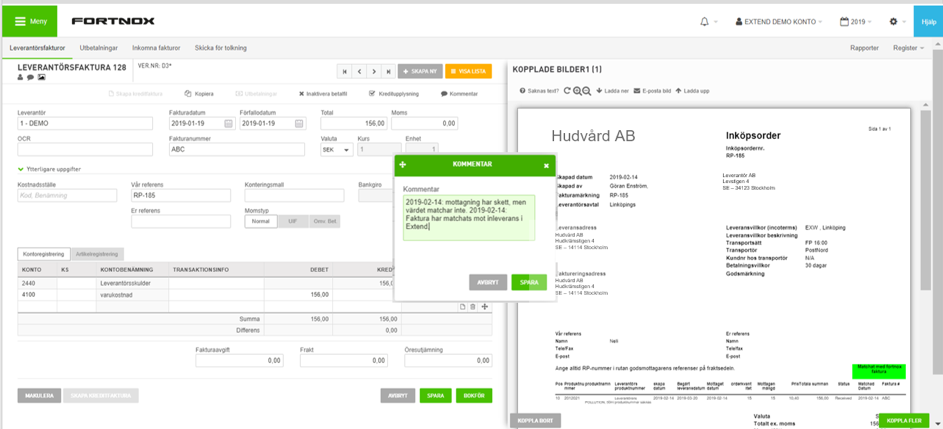
- An open API that lets other business systems — including Sharefox’s own integrations — push and pull financial data automatically
Fortnox + Sharefox: How the Integration Works
This is the part that matters most for rental businesses. Sharefox’s invoicing module and accounting integrations connect directly to Fortnox, so every completed booking, deposit, or damage charge processed through Sharefox is sent straight into your Fortnox ledger — no re-typing invoices, no reconciling two systems by hand at month-end.
“The businesses that get the most out of Fortnox aren’t the ones with the fanciest chart of accounts — they’re the ones that stop typing the same invoice twice. Once booking data flows straight into the ledger, month-end stops being a fire drill.” — Sharefox Product Team, on rental-to-accounting integrations
In practice, this typically covers:
- Automatic invoice sync — bookings and payments recorded in Sharefox appear in Fortnox without manual export/import
- Deposit and refund handling — matched against the correct customer and order automatically
- Prepayment and multiple payment method support — reconciled against the ledger as transactions settle
- VAT-ready records — reducing the manual cleanup usually needed before quarterly reporting
Manual Bookkeeping vs. a Connected Fortnox Setup
The table below illustrates the practical difference rental operators typically see once invoicing and accounting are connected, compared with manual, spreadsheet-based bookkeeping.
| Task | Manual bookkeeping | Fortnox + Sharefox integration |
|---|---|---|
| Invoice creation | Re-typed from booking records | Generated automatically from the booking |
| Payment reconciliation | Matched by hand against bank statements | Matched automatically to the original order |
| Deposit & refund tracking | Tracked in a separate spreadsheet | Synced directly to the customer’s ledger entry |
| VAT reporting prep | Data pulled and cleaned before filing | Records are already VAT-ready |
| Audit trail | Depends on consistent manual logging | Automatic, timestamped, and dated per Bokföringslagen |
| Time spent per month-end close | Hours, scaling with order volume | Minutes, largely volume-independent |
How to Get Started
1. Set Up Your Fortnox Account
Choose a Fortnox subscription tier that matches your business size — most rental businesses start with a trial before committing. Once the account exists, the next step is connecting it to your operational systems rather than running it in isolation.
2. Connect Fortnox to Sharefox
If you’re already running (or evaluating) Sharefox’s rental booking software or its inventory rental management system, enabling the Fortnox integration is typically a configuration step rather than a development project — it’s built on Sharefox’s open API. If you’re not yet a Sharefox customer, you can start a free trial or book a demo to see the integration in action before switching anything over.
3. Map Your Chart of Accounts
Before the data starts flowing, confirm that your Sharefox product categories map cleanly to the right accounts in Fortnox. This is a one-time setup cost that prevents miscategorized revenue later.
4. Automate Invoicing and Reconciliation
Once connected, let the integration handle repetitive work: invoice generation, payment matching, and deposit reconciliation. This is where most of the time savings described in our guide to running a more efficient rental business actually materialize.
5. Review Pricing and Scale Deliberately
Both Fortnox and Sharefox scale in tiers, so it’s worth revisiting your Sharefox pricing plan as order volume grows, rather than over-provisioning from day one.
Best Practices for Getting the Most Out of Fortnox
- Automate before you customize. Turn on automatic invoicing and payment reminders first; fine-tune reporting later.
- Reconcile weekly, not just monthly. Catching mismatches early is far faster than untangling a quarter’s worth of them.
- Use the reporting layer. Fortnox’s built-in reports on cash flow and outstanding invoices are more reliable early-warning signals than spreadsheets rebuilt from scratch each month.
- Keep the integration scope tight. Sync what you need (invoices, payments, VAT-relevant data) rather than trying to mirror every operational field into the ledger.
Conclusion
Fortnox gives rental businesses a solid, compliant foundation for Swedish bookkeeping, invoicing, and payroll. The real efficiency gain, though, comes from connecting it to the system generating the transactions in the first place — which is exactly what the Sharefox–Fortnox integration is built to do. If you’re currently re-entering booking data into Fortnox by hand, that’s the first thing worth fixing.

 All in one platform


