 Skip to main content



Late payments and manual bookkeeping are two of the biggest drags on a rental company’s cash flow. Every invoice that has to be typed out by hand, chased up by phone, or reconciled manually in a spreadsheet is time that isn’t spent booking new customers or maintaining equipment. For a growing rental or subscription business, this is exactly the kind of friction that Sharefox Rental Software’s invoicing module and accounting integrations are built to remove.
This article explains how automated invoicing and native accounting connections work inside Sharefox, why they matter for cash flow and financial accuracy, and how to evaluate whether they’re right for your operation — whether you run an equipment rental business, a subscription-based rental service, or a self-storage facility.
Understanding the Invoicing Module
What Is an Invoicing Module?
An invoicing module is a core part of rental management software that automates the process of generating, sending, and tracking invoices. Rather than treating billing as a separate administrative chore, it’s built directly into the booking and rental workflow, so an invoice is created the moment a rental agreement is confirmed. In practice, this means the system can:
- Create and issue invoices automatically when a booking is confirmed or a rental period ends
- Manage billing details — customer information, line items, taxes, and payment terms — in one place
- Track whether an invoice has been paid, is due, or is overdue, without manual follow-up
According to the U.S. Small Business Administration’s guidance on managing cash flow, timely invoicing and consistent follow-up on unpaid amounts are among the most effective ways small businesses can protect their cash position — which is precisely the gap an invoicing module is designed to close.
Key Features of Sharefox’s Invoicing Module
Sharefox’s invoicing module is built to simplify billing within a single, connected system rather than as a bolt-on tool. Core capabilities include:
- Automated invoice generation tied directly to bookings, rentals, and subscriptions
- Recurring invoicing for subscription and long-term rental agreements, so customers are billed automatically on schedule
- Configurable payment reminders that go out before or after a due date without staff intervention
- Customizable templates so invoices reflect your brand rather than a generic layout
- A centralized dashboard for tracking invoice and payment status across your entire customer base
These features work alongside Sharefox’s broader inventory and rental management system, so billing data stays in sync with what’s actually being rented, returned, or renewed.
How Sharefox Compares with Generic Invoicing Tools
Standalone invoicing apps can issue an invoice, but they generally don’t know anything about your rental inventory, booking calendar, or deposit rules. That gap is where rental-specific software earns its keep.
| Feature | Free / Entry-Level Invoicing | Generic Invoicing Software | Sharefox Invoicing Module |
|---|---|---|---|
| Manual invoice creation | Yes | Yes | Yes |
| Invoices generated directly from bookings/inventory | No | No | Yes |
| Recurring & subscription billing | No / limited | Limited or add-on | Yes |
| Automated payment reminders | No | Basic | Yes |
| Customizable, brand-matched templates | Limited | Yes | Yes |
| Real-time payment status dashboard | No | Partial | Yes |
| Native accounting integrations (Xero, FreshBooks) | No | Varies / manual export | Yes |
| Built for rental/subscription workflows | No | No | Yes |
| Best suited for | Freelancers, one-off invoicing | General small-business billing | Equipment, vehicle, tool, and self-storage rental operators |
Automating Invoicing and Billing Processes
How Automation Reduces Manual Work
Manual invoicing introduces two costs: staff time and the risk of human error. Automating the process with Sharefox means invoices, reminders, and communication are generated by the system based on rules you set, rather than by someone re-entering data for every booking. This is particularly valuable for self-storage and property operators who need billing to run continuously, including outside business hours, to support 24/7 self-service access.
Why Automated Billing Matters for Small and Growing Businesses
For small rental businesses, the case for automated invoicing is mainly about where staff time goes. Every invoice that doesn’t need manual creation, and every reminder that doesn’t need a phone call, is time reallocated toward growth — sourcing new inventory, improving customer experience, or expanding into new markets. This compounds with self-service rental technology, where the goal is to let customers book, pay, and pick up without staff involvement at every step.
“The businesses that get the most value from automated invoicing aren’t necessarily the biggest ones — they’re the ones with recurring or high-volume billing, where even small manual delays add up across hundreds of transactions a month.” — Asgeir Helland, Rental Technology Expert at Sharefox (Illustrative commentary prepared for this article — to be confirmed with Asgeir before publishing.)
Connecting Invoicing to Your Wider Billing Ecosystem
Sharefox’s invoicing module doesn’t operate in isolation — it connects to the platform’s payment methods and prepayment features and to external accounting systems through Sharefox’s integrations. That means invoice data, payment status, and financial records can move between systems automatically instead of being re-typed at each step.
Getting Paid Faster with Sharefox
Setting Up Payment Reminders
Configurable, automated payment reminders are one of the simplest ways to reduce the average time it takes to get paid. You control the frequency, timing, and wording of reminders so they match your business’s tone and policies — while the system handles the sending. Research from the Federal Reserve Banks’ Small Business Credit Survey consistently identifies uneven cash flow as one of the most common financial challenges small firms report, which is exactly the pressure consistent, automated follow-up is designed to ease.
Tracking Payments from a Single Dashboard
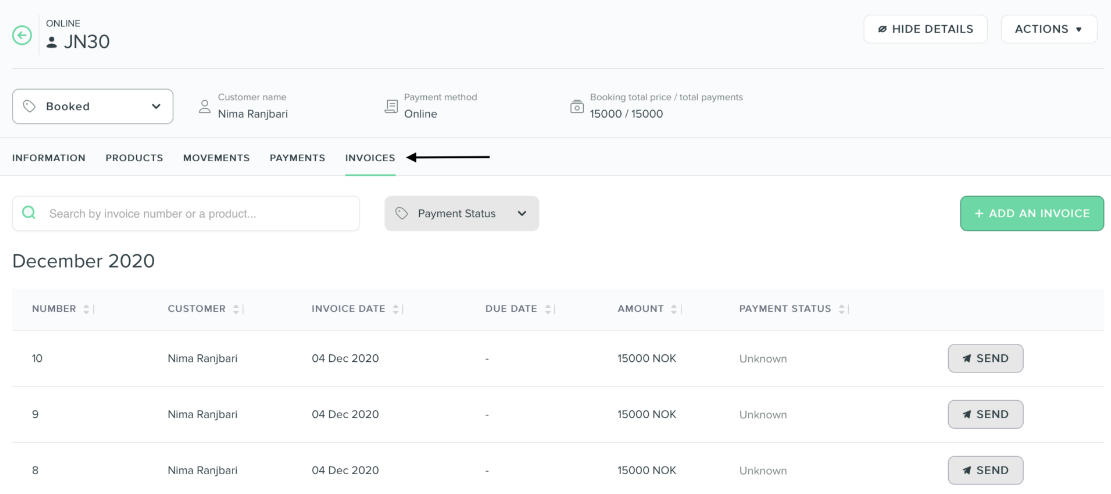
Sharefox’s dashboard gives you a real-time view of invoice and payment status: what’s outstanding, what’s overdue, and what’s already been paid. Instead of checking multiple spreadsheets or accounts, you can see your billing position at a glance and act on it — including linking through to the ROI calculator if you want to model how faster collections affect your overall returns.
Handling Overdue Invoices
Beyond automated reminders, Sharefox gives you the tools to prioritize which overdue invoices need direct follow-up, so you’re not treating every late payment the same way. This structured approach — flag, prioritize, follow up — tends to resolve payment issues faster than an unstructured, case-by-case chase.
Integration with Other Accounting Software
Connecting Sharefox with Xero and FreshBooks
Sharefox integrates with established accounting platforms, including Xero and FreshBooks, so invoice data, payment statuses, and financial records sync automatically rather than requiring manual re-entry. This is one of the features covered in more depth on Sharefox’s integrations page, and it’s also the subject of a dedicated look at Fortnox accounting software integration for rental operators working with Nordic accounting systems.
Why This Integration Matters for Invoice Management
Connecting your invoicing module to your accounting software gives you one consistent view of your financial position instead of two systems that need to be manually reconciled. Both Xero’s own guidance on cash flow management and general accounting best practice point to the same conclusion: the fewer manual touchpoints your invoice and payment data passes through, the lower the risk of reconciliation errors and reporting delays.
Streamlining the Full Accounting Workflow
With invoicing, payments, and accounting connected, every step — from invoice creation to payment received to ledger entry — happens without duplicate data entry. That leaves more time for analysis and decision-making, and less time spent verifying that two systems agree with each other.
Saving Time with Invoicing Software
Creating Invoices in Seconds
Because invoices are generated directly from booking data using customizable templates, creating a professional invoice takes seconds rather than the several minutes (or more) required to build one manually for each transaction.
Practical Ways to Save Time on Billing
Time savings come from three places working together: automated invoice creation, automated recurring billing for subscriptions, and automated reminders. None of these need to be set up per transaction — they run on the rules you define once, whether you’re using Sharefox as an equipment rental system or as subscription management software.
The Bigger Picture: Efficiency Across the Business
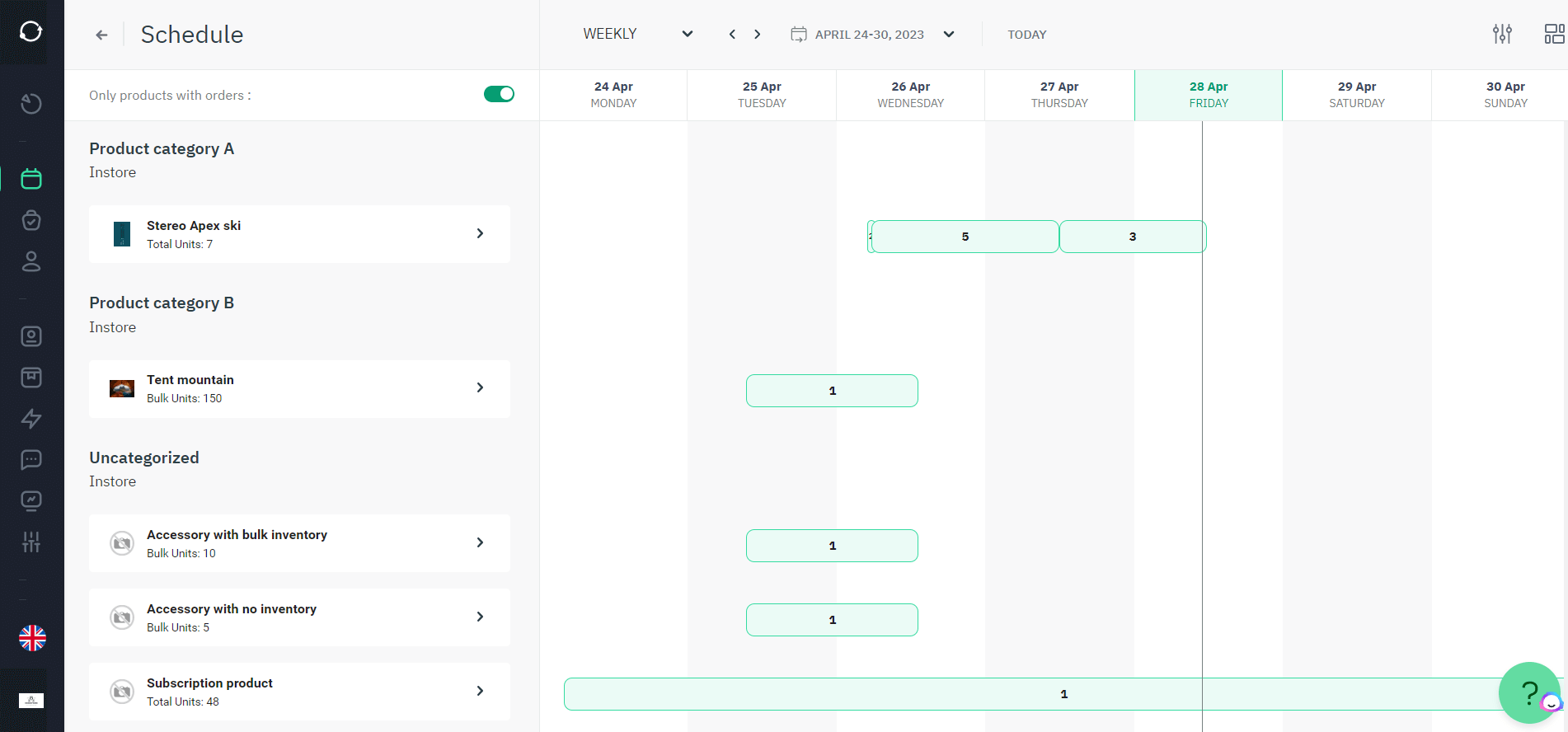
Sharefox is built as a complete rental commerce platform for both B2C and B2B rental, subscription, and self-storage operators. Invoicing and accounting integrations are one part of a system that also covers booking, inventory, and self-service access — so the efficiency gained in billing supports, rather than sits apart from, the rest of the operation. If you want to see the pricing structure behind these features, it’s outlined on the Sharefox pricing page.


 All in one platform


