Skip to main content


If you run a storage facility, there’s a good chance your next renter is searching for a unit right now. Most of them won’t start on your website — they’ll start with a search like “storage near me” or “self storage near them,” and the first thing they’ll see is your Google Business Profile.
This guide walks through how to set up, optimize, and manage a Google Business Profile (formerly known as Google My Business) for a self storage facility, so it works harder for calls, directions, and bookings. A well-maintained profile builds visibility, strengthens your presence across local listings, and helps position your facility as the obvious choice in your area — a strategy that fits naturally alongside a broader self storage marketing plan.
Local search plays a decisive role in how renters choose a facility. They compare prices, skim reviews, look through photos, and often decide within minutes. Showing up clearly in Google Search and Maps isn’t a nice-to-have anymore — for a local, space-constrained business like self storage, it’s close to essential.
“A storage facility can have the best units in town, but if the profile that represents it online is incomplete, unverified, or inactive, Google has very little reason to show it to nearby searchers.” — common guidance echoed across local SEO practitioner communities
What Google My Business and Google Business Profile Are
Google My Business was the former name for what’s now called Google Business Profile. The name changed, but the purpose hasn’t: it’s still your official, free business listing on Google.
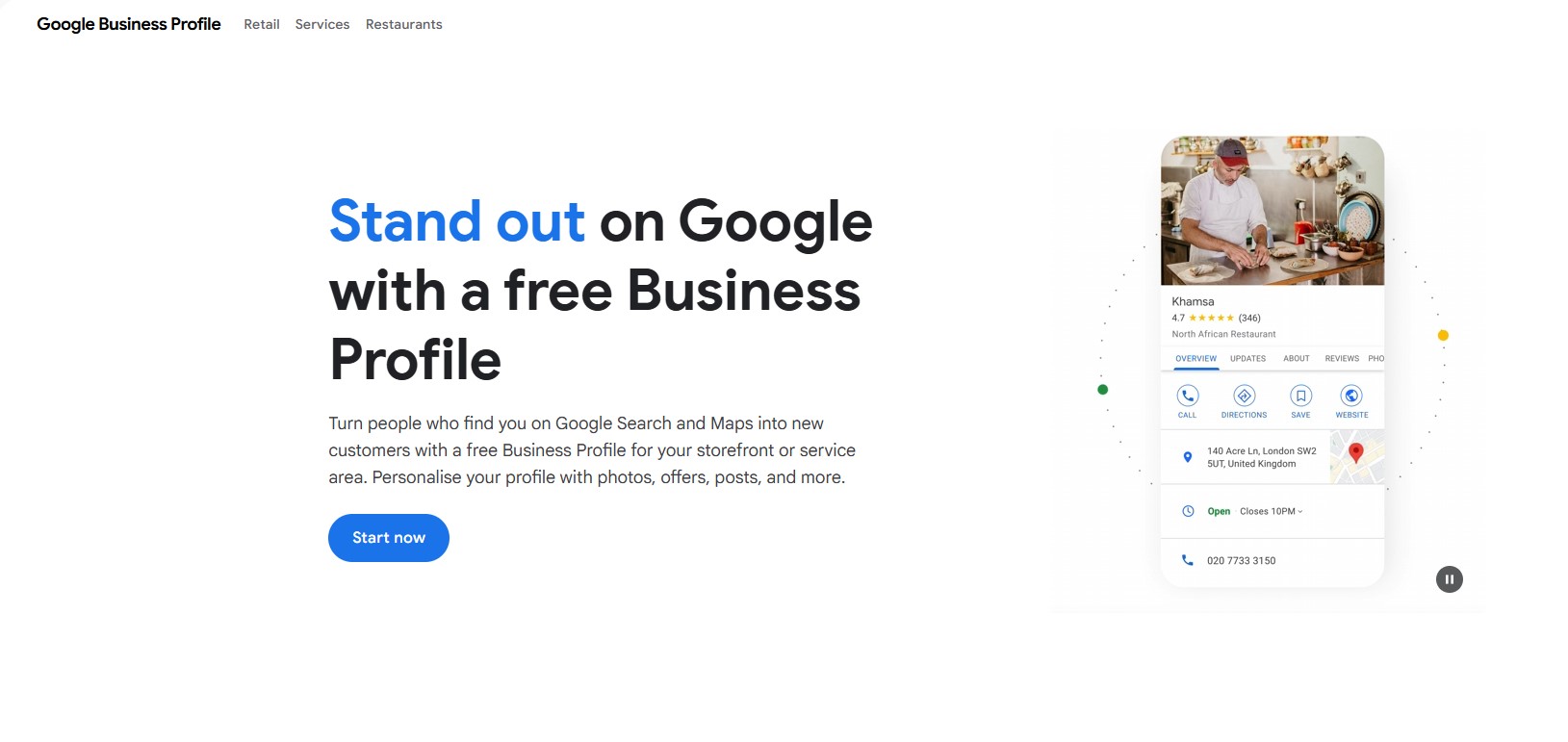
Credit: Google
Where Your Profile Appears
A Google Business Profile can surface in:
- Google Search results
- The local map pack
- Google Maps
- Knowledge panels on desktop and mobile
When someone searches for self storage in your area, Google typically shows a small map with a handful of highlighted businesses — the local pack. Your profile is what powers that listing.
How It Shapes First Impressions
Before a renter ever opens your website, they usually see:
- Your business name
- Reviews and star rating
- Photos
- Business hours
- Phone number
- Directions
That snapshot forms trust (or doubt) almost instantly.
Google Business Profile vs. Other Local Listings
Local directories list your business details too, but a Google Business Profile plays a different role. The table below compares how it stacks up against a typical directory listing or a social media page.
| Capability | Google Business Profile | Generic online directory | Social media profile |
|---|---|---|---|
| Appears directly in Google Maps and the local pack | Yes | No | No |
| Star ratings shown in search results | Yes | Sometimes | Rarely |
| Supports posts and real-time updates | Yes | Rarely | Yes |
| Includes a Q&A section customers can browse | Yes | No | No |
| Connects directly to turn-by-turn navigation | Yes | No | No |
| Functions as a core local ranking signal for Google | Yes | Minor influence | Minor influence |
For most self storage operators, this is the single highest-visibility local listing they control — which is why it deserves the same attention as your website’s local SEO for self storage work.
Why Google Business Profile Matters for Self Storage SEO
Self storage is an inherently local business. People rarely travel far for a unit — they choose a facility near home, work, or wherever they’ve just moved.

Local Search Ranking Signals
Google generally weighs a few factors when deciding local rankings:
- Relevance to the search query
- Distance from the searcher
- Prominence, based on reviews and overall authority
Your Google Business Profile has a direct hand in all three, which is part of why it’s such a central piece of attracting potential customers to a facility.
Role in Local Pack Visibility
Appearing in the local pack meaningfully increases exposure, since these listings sit above most organic results — especially on mobile. For a self storage facility, stronger local pack visibility tends to translate into more click-throughs, more direct calls, more site visits, and more direction requests.
Influence on Mobile Search Behavior
A large share of “near me” storage searches happen on mobile, and many renters tap the call button straight from the profile without visiting the website at all. If a listing is incomplete or poorly optimized, those calls tend to go to a competitor instead — one more reason to treat the profile as seriously as any self storage software investment.
Impact on Local Listings and Organic Traffic
A strong profile generally supports:
- Brand credibility
- Better engagement signals
- More favorable click behavior
Together, these reinforce broader local SEO performance and strengthen your presence across other local listings, which ties directly into how rental businesses get found on Google Search.
Getting Started with Google Business Profile for Self Storage
Setting the profile up correctly the first time helps avoid ranking headaches later.
Create or Claim Your Profile
Search your business name on Google first. If a listing already exists, claim it; if not, create a new one. Use your exact business name as it appears on your signage and website, and avoid stuffing extra keywords into the name field.
Select the Right Category
Choose “Self Storage Facility” as your primary category so Google understands your core service. You can layer on secondary categories later if they genuinely apply, but the primary category should reflect what you actually offer.
Add Accurate Contact Information
Keep the following correct and consistent everywhere they appear:
- Business address
- Phone number
- Website URL
- Business hours
Consistency across your website and other local listings is one of the simpler ways to build trust with Google.
Verify Your Business
Google requires verification to confirm you’re the legitimate owner — usually via postcard, phone, or email, depending on eligibility. Verification is a prerequisite for full visibility, not an optional extra.
Add Service Areas If Applicable
If you serve several nearby towns or neighborhoods, add them to your service area settings. This broadens relevance without misrepresenting your actual physical address.
How to Complete Every Section of Your Profile
A complete profile consistently outperforms a partial one, so it’s worth filling out every relevant section rather than the bare minimum.
Business Description
Write a clear, natural description of your facility and its storage solutions. Mention unit sizes available, security features, access hours, climate-controlled options, and location advantages. Work in your primary keyword naturally, along with phrases like local listings and online visibility where they fit — clarity beats keyword stuffing every time.
Business Hours and Special Hours
Keep regular hours accurate and update special hours ahead of holidays. Outdated hours are a quiet but reliable source of frustrated customers and negative reviews.
Services and Attributes
Add the specific services that apply, such as climate-controlled units, drive-up access, extended or 24-hour access, moving supplies, and vehicle storage. Attributes help renters filter results and quickly understand what sets your facility apart.
Categories and Secondary Categories
Only add secondary categories that genuinely apply — irrelevant categories dilute relevance rather than expanding it.
Service Area Settings
Define the areas you serve while keeping your primary address accurate, expanding reach without confusing Google’s understanding of where you’re actually located.
Complete information consistently improves ranking potential, because it improves both relevance and user experience.
Optimizing Your Listing to Boost Local Visibility
Once the profile is complete, the next phase is optimization.
Use Keywords Naturally in Your Description
Work in relevant phrases like “Google Business Profile for self storage,” “self storage near me,” “affordable storage units,” and “secure storage facility” — but keep the writing conversational rather than a keyword list dressed up as a sentence.
Add Products or Services
Google allows product-style listings. For self storage, that could include entries for different unit sizes, climate-controlled storage, or vehicle and RV storage, each with its own description and a general price range.
Align Content with Search Intent
Think about what a renter actually wants to know: Is the facility secure? What’s the general pricing like? Are there contracts? How easy is move-in? Optimization, at its core, is about being useful — the more helpful the listing, the more likely someone engages with it.
Add Photos and Videos to Enhance Engagement
Visual content has an outsized effect on click behavior. Profiles with genuine, high-quality images generally see stronger engagement than those without.

What Types of Photos to Upload
- Exterior building shots
- Interior hallways
- Different unit sizes
- Security cameras and gated access
- Office and staff photos
Show real conditions — not stock photography.
Consider Virtual Tours or Short Videos
Short walkthrough videos or 360-degree tours help renters see cleanliness, lighting, and layout before they ever commit to a visit. Strong visuals tend to increase click-through rates, time spent on the listing, and overall engagement with the facility.
Collecting and Managing Reviews the Right Way
Reviews influence both rankings and renter decisions, which makes them worth managing deliberately rather than passively.
Ask Customers for Reviews
After move-in or another positive interaction, send a polite request for honest feedback, and make it easy by sharing a direct review link.
Respond Promptly to All Reviews
Thank people for positive reviews, and respond to negative ones with professionalism and a real path to resolution. It signals — to both the reviewer and everyone reading afterward — that customer service is taken seriously.
Leverage Positive Reviews
Highlight recurring praise, whether that’s cleanliness, friendly staff, or security, across your own marketing. Strong review management builds credibility and reinforces local rankings over time.
Using Q&A and Posts for Ongoing Engagement
Many facilities set up their profile once and never touch these features again — which is a missed opportunity.
Q&A Section
Monitor the questions and reviews that come in, and provide clear answers about access hours, payment options, lease terms, and security policies. You can even seed the section proactively with frequently asked questions.
Google Posts
Use posts to share promotions, new unit availability, seasonal reminders, or facility upgrades. Regular updates signal that the business is active, and an active listing tends to feel more trustworthy than a static one.
Monitoring Performance with Insights
Google Business Profile provides performance data that helps refine strategy over time. Worth tracking: profile views, the search queries people used to find you, website clicks, phone calls, and direction requests.
If a lot of people are requesting directions but few are visiting the website, the listing is largely functioning as a direct conversion tool on its own. If website clicks are strong, make sure the site itself supports an easy path to renting online. Either way, insights let you adjust messaging, photos, and services based on how people are actually engaging with the profile — not guesswork.
Common Mistakes Self Storage Operators Should Avoid
- Inaccurate or incomplete information — wrong phone numbers, outdated hours, or missing descriptions create confusion at the worst possible moment.
- Ignoring reviews — unanswered negative reviews quietly erode credibility.
- Poor or missing photos — low-quality or outdated images reduce trust before a renter even calls.
- Skipping verification — unverified profiles have limited visibility and control.
- Letting the listing go stagnant — a profile that’s never updated signals inactivity; regular maintenance keeps it competitive.
How Google Business Profile Complements Other Local SEO Efforts
A Google Business Profile is powerful, but it works best as part of a broader strategy rather than a standalone tactic.
Website local SEO — location-specific pages, clear contact information, and optimized titles and descriptions.
Citation consistency — keeping your business name, address, and phone number aligned across directories, social profiles, and other local listings.
Local keyword content — publishing genuinely helpful content about moving, storage tips, and local services, which supports organic visibility over time. This is the same logic behind why keywords matter for rental businesses more broadly, and it applies just as much to platforms beyond Google — see our notes on using Apple Maps for local SEO.
Review management across platforms — encouraging reviews beyond Google alone, which reinforces authority across the board.
If you’re earlier in the journey — say, still working out pricing or how to start a self storage business — it’s worth building local SEO into the plan from day one rather than retrofitting it later. And once the facility is running, pairing profile optimization with solid self storage revenue management practices tends to compound the results, since a better-converting listing is only as valuable as the pricing strategy behind it.
Conclusion and Action Plan
Google Business Profile is one of the more consistently useful tools available to self storage operators, precisely because it sits right at the point where a renter is deciding who to call.
To move forward:
- Claim or verify your profile
- Complete every section thoroughly
- Add high-quality photos and detailed service information
- Actively request and respond to reviews
- Monitor insights and refine the listing regularly
A well-managed Google Business Profile increases trust, drives calls, and supports long-term growth — read alongside our self-service storage software resources and the rest of our self storage marketing guide, it’s one piece of a much larger local visibility strategy. For more on our sourcing and review standards, see our editorial policy and about us page.e My Business (GBP) self-storage profile increases trust, drives calls, and supports long term growth.

 All in one platform