 Skip to main content



Inventory control software tells you, in real time, what you have, where it is, and whether it’s available right now — not what a spreadsheet said this morning. That distinction matters more for rental businesses than for almost anyone else, because your “stock” doesn’t get sold once; it goes out, comes back, needs inspection, and gets booked again. This guide covers what inventory control software actually does, how it differs for rental operators versus retailers, and what tends to go wrong when businesses try to run a rental fleet on tools built for something else.
What is inventory control software?
Inventory control software is a system that tracks what you own, where each item is, and whether it’s currently available — updated automatically as items move, rather than manually re-counted. At its simplest, that’s the entire job: replace the clipboard count with a live, queryable record.
For a retailer, “available” mostly means “in stock, not yet sold.” For a rental business, an item can be physically present in the warehouse and still unavailable, because it’s booked for pickup in two hours, or it’s flagged for maintenance after last week’s return. Inventory control software that only tracks quantity misses exactly the information a rental operator needs most.
Why rental inventory control isn’t the same problem as retail
Rental inventory has a state that retail inventory doesn’t need: a calendar. A single excavator, camera, or car isn’t just “in stock” or “out of stock” — it’s booked for specific dates, and the software has to know that to avoid selling the same slot twice.
This is the single biggest gap between generic inventory management software (built for warehouses and e-commerce, where an item is sold once and leaves) and rental-specific inventory control (where the same item is checked out, returned, inspected, and rebooked dozens of times a year). A generic tool can tell you how many units you have. It generally can’t tell you whether unit #14 is free next Thursday, or whether it just came back with a cracked housing and shouldn’t go out again until someone checks it.
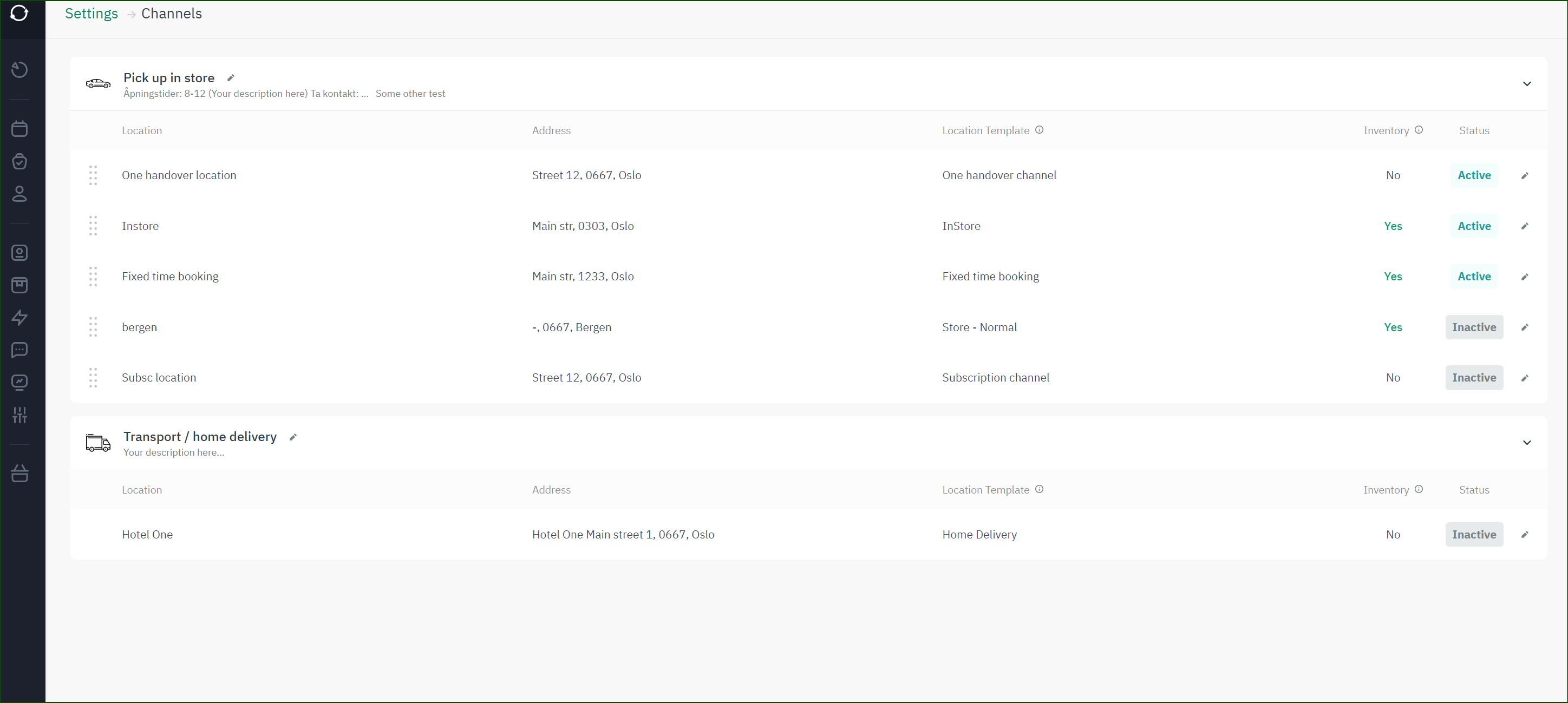
Real-time inventory tracking closes that gap by tying stock status directly to the booking calendar, so every reservation, check-out, and return updates availability instantly — across every location, not just the one where the item happens to be sitting.
The core components of a rental inventory control system
A working system for a rental business needs five things working together, not five separate spreadsheets.
- Real-time availability tracking — every item’s status (available, booked, out, in maintenance) updates the moment something changes, visible across all locations at once.
- Barcode or RFID identification — every physical item gets a scannable identity, so check-in/check-out takes seconds and doesn’t rely on someone remembering to update a log.
- Automated reorder or restock alerts — for consumables and accessories (straps, batteries, cleaning supplies), the system flags low stock before it becomes a cancelled booking.
- Maintenance and condition status — a returned item isn’t automatically “available” again; it needs a state for “needs inspection” or “out for repair” that blocks it from being booked.
- Integrations with accounting and ID verification — inventory data that doesn’t talk to invoicing or payments just creates a second system to reconcile by hand.
Why the booking calendar has to be inside the inventory system, not bolted on
If your inventory tool and your booking calendar are two different products stitched together with exports, you will eventually have a double-booking. Not because anyone made a mistake — because the two systems didn’t update each other fast enough. This is the reason rental-specific platforms build inventory and booking as one system rather than as an inventory add-on to a generic booking tool.
Manual tracking vs. generic inventory apps vs. rental-specific systems
| Capability | Manual (spreadsheet/clipboard) | Generic inventory software | Rental-specific inventory system |
|---|---|---|---|
| Real-time availability | No — only as current as the last update | Usually, for stock count | Yes — tied to live bookings |
| Prevents double-booking | No | Rarely built for this | Yes, by design |
| Maintenance/condition status | Manual note, easy to miss | Sometimes, as a custom field | Built-in state that blocks booking |
| Barcode/RFID support | No | Often available | Often available, tied to check-in/out |
| Multi-location visibility | Very hard to keep in sync | Depends on plan/tier | Standard |
| Best fit | Under ~20 items, one location | Retail, e-commerce, warehousing | Equipment, tool, vehicle, and self-storage rental — for example, Sharefox’s inventory management system |
From the field: what actually breaks when rental businesses skip this
The failure pattern is rarely “we ran out of stock.” It’s “we thought we had it, and we didn’t.” Across rental operators, the recurring story isn’t a missing item on a shelf — it’s an item that looked available in the system but was actually out on a job, in for repair, or already promised to someone else. The customer finds out at pickup, not before, which is the most expensive time possible to find out.
How to choose inventory control software for a rental business
Match the software to how your inventory actually moves, not to a generic feature checklist.
- List how many locations you operate from today, and how many you expect within two years. Multi-location support isn’t a “nice to have” if you’re planning to expand — retrofitting it later means a data migration.
- Confirm the booking calendar and inventory are the same system, not two systems synced by export. Ask directly: “If I book item X for Thursday, does availability update instantly everywhere, or on a delay?”
- Check whether maintenance status is a first-class state, not a note field. You need “in for repair” to actually block a booking, automatically.
- Test barcode or RFID check-in/out with your actual items, not a demo SKU. Scanning speed at the counter is where staff either adopt the system or quietly go back to paper.
- Verify the accounting and payment integrations you actually use — QuickBooks, Xero, Stripe, whatever runs your books today — rather than assuming “integrations available” covers your specific stack.
- Ask for a trial with your real item catalogue, not a sanitised demo dataset, and try to break it with an overlapping booking on purpose.

Common pitfalls
- Treating rental inventory like retail stock — counting units without tracking bookings leads straight to double-booked equipment. Fix: choose a system where availability is calculated from the calendar, not a separate stock count.
- Skipping barcodes because “the fleet is small enough to remember” — this works until a busy weekend, a new hire, or 40 items, whichever comes first. Fix: implement scanning from day one, even for a small catalogue — it’s far cheaper to build the habit early than retrofit it later.
- Not giving maintenance a real status — a returned item marked “back in stock” before inspection is a complaint waiting to happen. Fix: require an explicit “inspected and cleared” step before an item can be rebooked.
- No reorder trigger for consumables — running out of straps, chargers, or cleaning supplies cancels bookings just as effectively as running out of the main item. Fix: set low-stock alerts on every consumable tied to a rented item, not just the item itself.
- Running multiple locations on separate spreadsheets — “we’ll just call the other branch” does not scale past a handful of daily bookings. Fix: centralise inventory data across locations before opening a second one, not after.



 All in one platform


