 Skip to main content


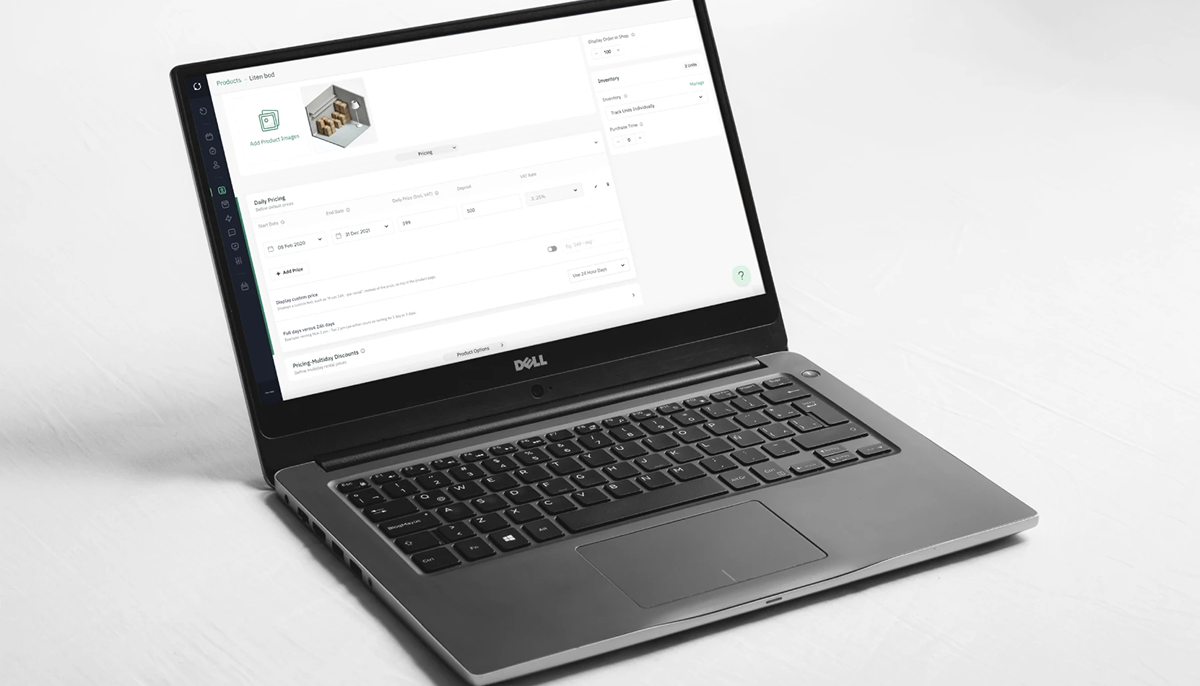
Launching a website is one of the highest-leverage moves a small rental business can make. It’s often the difference between a customer calling three competitors to compare availability and a customer booking in ninety seconds, at midnight, without ever picking up the phone.
This guide walks through the practical decisions — niche, platform, design, booking, payments, and marketing — that go into building a rental website that actually converts. It draws on patterns we see repeatedly across equipment, vehicle, and self-storage rental operators, so you can skip the trial-and-error and go straight to what works.
What you’ll cover:
- Understanding your rental business and audience before you build anything
- Choosing a website builder suited to rental (not just any site builder)
- Designing and structuring the site itself
- Implementing booking, payments, and rental-specific features
- Marketing the finished site so it actually gets found
Understanding Your Rental Business
Before touching a website builder, get precise about what you rent, to whom, and where the operational friction currently lives. Skipping this step is the single most common reason rental websites launch beautiful and then convert poorly — the site was built for “a rental business” in the abstract, not for the specific customers who actually book.
Identifying Your Rental Niche
Rental is not one business model — it’s several, wearing the same word. Equipment and tool rental, vehicle and fleet rental, self-storage, event and party rental, and subscription-based models (clothing, gear, cars) all have different booking cycles, different customer expectations, and different seasonal patterns. A platform like Sharefox’s rental booking software is built specifically around this reality, supporting equipment, tools, vehicles, and self-storage operators across both B2C and B2B relationships rather than forcing every niche into a generic e-commerce template.
If you haven’t nailed down your niche precisely yet, it’s worth doing that first — see this guide on identifying the right rental niche before you commit to a site structure.
Target Audience for Rental Services
Your target audience shapes everything from navigation labels to checkout flow. Broadly, rental website audiences fall into a few groups:
- Rental operators managing tools, machinery, or equipment fleets
- Mobility and fleet managers in automotive, replacement-car, or vehicle rental
- Self-storage and property managers exploring subscription or hybrid rental models
- Digital agencies and integration partners building for rental, mobility, or construction clients
Each group books differently. A construction firm renting an excavator for six weeks cares about damage documentation and contract terms; a weekend renter booking a jet ski cares about instant confirmation and mobile checkout. Your homepage and booking flow should reflect which of these you’re actually serving.
Common Challenges for Rental Companies
Most small rental operators come to a website project already fighting the same fires: fragmented tools that create double work, no single view of bookings, damages, or inventory availability, and operational chaos during peak season. Staff who aren’t especially tech-savvy can make software adoption feel risky, which is often why the website project gets delayed in the first place.
A well-built rental website doesn’t just look professional — it should directly reduce this operational load by centralizing bookings and inventory visibility in one place, rather than adding yet another disconnected tool to the pile.
“The businesses that struggle most aren’t the ones with the smallest fleets — they’re the ones running five disconnected tools to manage one rental. The website should be the thing that finally pulls it all together, not one more system to reconcile.” — Sharefox Rental Software Specialists
Choosing the Right Website Builder
Your website builder decision will determine how much of your operational headache the site solves versus how much it adds. This is the point where “any builder will do” stops being true.
Features of a Good Rental Website Builder
A rental-specific website builder should offer, at minimum:
- Booking and inventory management built in, not bolted on
- Self-service check-in/out support (smart locks, kiosks, or similar integrations)
- Support for subscription, short-term, and long-term rental in the same system
- Sales and service bookings, not just rentals
- Multicommerce flexibility — renting, selling, and subscribing from one storefront
- Integrations for accounting and ID verification
- Advanced, rule-based pricing configuration
- Analytics and automation for repeat operational tasks
If you’re specifically weighing options for machinery or heavy equipment, this breakdown of how to choose a website builder for machinery rentals is a useful next read.
General-Purpose Builders vs. Rental-Specific Platforms
It’s tempting to reach for a familiar general-purpose builder because it’s cheap and quick to start. The trade-off shows up later — usually around month three, when you’re manually cross-checking a spreadsheet against your booking calendar.
| Capability | General-Purpose Builder (e.g., Wix, Squarespace) | Rental-Specific Platform (e.g., Sharefox) |
|---|---|---|
| Real-time booking & inventory sync | Requires third-party plugins, often with sync delays | Native, built for rental workflows |
| Self-service check-in/out | Not supported natively | Supported via smart-lock/kiosk integrations |
| Subscription + short/long-term rental in one flow | Usually requires separate apps | Handled in a single system |
| Damage tracking & deposits | Manual or spreadsheet-based | Built into the booking record |
| ID verification & payment integrations | Limited, often bolt-on | Native ecosystem integrations |
| Pricing rules (seasonal, tiered, hybrid) | Basic discount codes | Advanced rule-based pricing configuration |
| Setup time | Fast for a static site | Fast for a booking-ready site |
This isn’t an argument against general-purpose builders for every use case — a simple brochure site with no booking complexity can work fine on one. But once inventory, deposits, or multi-day availability enter the picture, the gap widens quickly.
How to Choose a Website Builder for Your Needs
Weigh four things: how you’ll actually use the site day-to-day, your team’s technical comfort, how the platform scales as inventory grows, and what it integrates with. A builder that looks fine with a small inventory can become unmanageable as your catalog grows if booking and inventory aren’t native to the platform.
Creating Your Rental Website
With a builder chosen, the build itself comes down to template, customization, and the pages that actually earn their place.
Selecting a Template for Your Rental Website
Choose a template that supports your booking flow visually, not just aesthetically — availability calendars, product/unit galleries, and clear pricing should all have obvious homes in the layout before you fall in love with a color scheme.
Customizing Your Rental Website Design
Customization is where your brand differentiates itself from every other rental operator using the same base template. Keep it consistent: same tone of voice, same visual language, same booking CTA wording, across every page.
Essential Pages for Your Rental Website
At minimum, plan for:
- Homepage — clear value proposition and a visible booking CTA above the fold
- Inventory/fleet pages — organized by category, with live availability
- Pricing page — transparent, even if rates vary by duration or season
- Booking/checkout flow — as few steps as the platform allows
- About/trust page — your story, credentials, and insurance/licensing where relevant
- FAQ page — pre-empting the questions that otherwise clog your inbox
- Contact/support page — phone, email, and ideally live chat
For a deeper look at which features matter most on rental sites specifically, see the essential features of high-performing trailer rental websites — the same principles largely transfer across rental categories.
Implementing Booking and Payment Systems
This is the operational core of the site — where visitors become bookings, and bookings become revenue without a phone call in between.
Online Booking Features for Rental Websites
Self-service booking is the baseline expectation now, not a differentiator. That means real-time availability, booking and inventory management with full visibility over your rental units, and — where relevant — self-service check-in/out through smart-lock integrations. Sales and service bookings should sit in the same system as rental bookings, so self-storage managers and other operators aren’t juggling separate tools for separate transaction types.
Setting Up Online Payments
Payment integrations need to handle deposits, damage holds, and recurring subscription billing, not just a single one-time charge. ID verification matters just as much for mobility and vehicle rental operators, where confirming a valid license before handover isn’t optional. Sharefox’s ecosystem integrations bundle payments, accounting, and ID verification so these don’t have to be stitched together manually.
Integrating Rental Software for Efficiency
The real ROI of a rental website shows up in what it removes from your team’s plate — accounting reconciliation, manual ID checks, and duplicate data entry across booking and invoicing tools. A unified operational hub, rather than a patchwork of point solutions, is what actually reduces the “double work” problem most small rental operators start out with.
Marketing Your Rental Website
A finished website is a starting line, not a finish line. It needs to be found, and then it needs to convert.
SEO Strategies for Rental Websites
Optimize content around the terms your customers actually search — “equipment rental,” “vacation rentals,” or niche-specific terms for your category — rather than generic industry language. For a fuller walkthrough of rental SEO fundamentals, see what SEO is and why keywords matter for rental businesses.
Utilizing Social Media for Your Rental Business
Regularly share inventory, customer stories, and behind-the-scenes content to build a following that drives direct traffic back to your booking pages — traffic that doesn’t depend entirely on search rankings.
Building an Online Presence for Vacation Rentals
Visual appeal and a frictionless booking experience matter most here. Pair a strong website with consistent presence on social and travel platforms, and back it with the SEO fundamentals above. For a broader marketing playbook beyond the website itself, see how to build a marketing strategy for rental businesses, and for pricing that supports your marketing positioning, effective pricing strategies for rental businesses.

 All in one platform


