 Skip to main content


Every rental or equipment-heavy business runs on the same hidden currency: uptime. An asset sitting idle in a warehouse, unbooked and untracked, isn’t just wasted space — it’s wasted revenue. This guide breaks down what asset management software actually does, the concrete efficiency gains it delivers, and how to evaluate whether your business is ready to move past spreadsheets.

Understanding Asset Management
What Is Asset Management?
Asset management is the systematic process of deploying, operating, maintaining, upgrading, and eventually retiring assets in a cost-effective way. It covers the entire asset lifecycle — from acquisition to disposal — with the goal of making sure every asset earns its keep.
Done well, asset management is more than tracking where things are. It’s strategic planning combined with continuous monitoring, so utilization and asset lifespan are both optimized rather than left to chance. Platforms like Sharefox’s rental management software build these principles directly into the booking and inventory layer, so equipment, vehicle, and self-storage operators can turn asset management from a back-office chore into a growth lever.
Why Asset Management Matters
Visibility is the strategic payoff. Organizations that know exactly what they own, where it is, and how hard it’s working can make better decisions — about purchasing, pricing, staffing, and maintenance — than those relying on manual counts or gut feel.
“You can’t optimize what you can’t see. The businesses that get the most out of their fleet aren’t the ones with the newest equipment — they’re the ones who know, in real time, which units are earning and which ones are sitting idle.” — Sharefox Customer Success Team, based on onboarding conversations with equipment and vehicle rental operators
Robust asset management software turns that visibility into a repeatable process: fewer emergency repairs from missed maintenance windows, less capital tied up in underused inventory, and fewer of the double-bookings and “wait, where’s that unit?” moments that quietly erode customer trust.
Key Concepts in Asset Management
A handful of concepts recur across every mature asset management program:
- Asset tracking — real-time visibility into location, status, and condition.
- Lifecycle management — planning from procurement through retirement.
- Inventory and fixed asset management — keeping physical stock and its book value properly accounted for.
- Software license management — a category of its own for businesses managing digital assets alongside physical ones.
- Integration — connecting the asset register to the other systems that touch it, from accounting and payment tools to service and support platforms.
For rental businesses specifically, fixed asset management and day-to-day asset tracking tend to matter more than software license tracking, since the assets in question are usually physical — vehicles, tools, machinery, or storage units — rather than digital licenses.
What Asset Management Software Actually Does
Asset management software is a digital system for tracking and managing assets across their full lifecycle from a single, centralized source of truth. Instead of an asset’s status living across three spreadsheets and a group chat, it lives in one place that updates in real time.
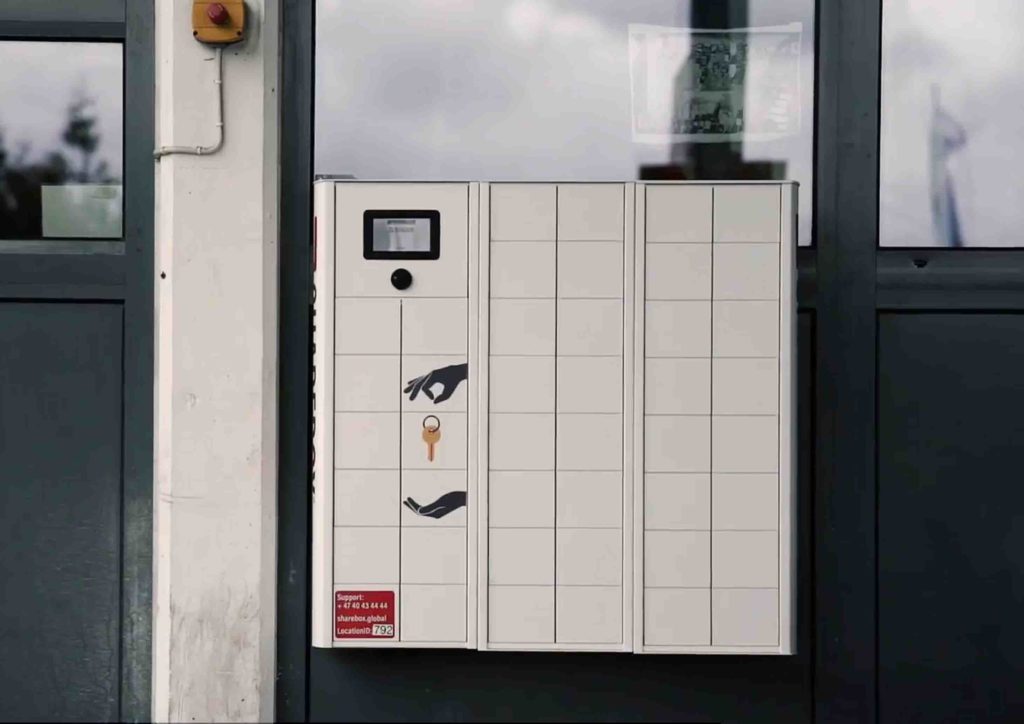
For rental operators specifically, an all-in-one rental commerce platform folds asset management into the same system that handles bookings, invoicing, and customer self-service — so the same record that tells you a unit is “out on rental” is also the one generating the invoice and blocking it from being double-booked.
The Efficiency Case
The efficiency gains tend to cluster around three areas:
- Consolidation. Booking, inventory, and invoicing move into one workflow instead of three disconnected tools, cutting manual re-entry and the errors that come with it.
- Self-service. When customers can book and check out equipment or vehicles independently, turnaround time drops and idle time between rentals shrinks — which directly raises revenue per asset.
- Automation. Digital check-in/out, automated maintenance reminders, and accounting integrations remove manual steps that used to require a person watching a calendar.
Businesses managing physical inventory across multiple sites — from self-storage facilities to construction equipment yards — see the biggest gains here, simply because manual tracking gets exponentially harder as the number of locations and assets grows.

Key Features to Look For
Asset Tracking and Visibility
At minimum, look for real-time booking and inventory modules that show exactly where every asset is and what it’s doing at any moment. Pair that with pricing configuration and analytics, and you get not just visibility but insight — which assets are earning their keep and which ones might be worth selling off.
Asset Discovery and Inventory Accuracy
Automated discovery — the ability to catalog assets without manual data entry — keeps your inventory accurate without dedicating staff hours to it. Technologies like barcode and RFID tagging are increasingly standard here, letting a scan update an asset’s status instead of a spreadsheet edit.
Integrations and Configuration
The best platforms don’t operate in isolation. Look for support for multiple business models (subscription, short-term rental, sales) in one system, plus integrations with accounting, payment, and identity-verification tools. Sharefox, for example, connects with providers like Visma, Nets, and Criipto through its integrations layer, so the same asset record feeds accounting and compliance workflows without duplicate data entry.
Manual Tracking vs. Asset Management Software
The table below summarizes where the practical differences show up most for equipment, vehicle, and storage operators.
| Area | Manual / Spreadsheet Tracking | Asset Management Software |
|---|---|---|
| Visibility | Point-in-time snapshots, often stale within hours | Real-time status across all assets and locations |
| Booking accuracy | Prone to double-bookings and manual errors | Automatic conflict prevention |
| Maintenance | Reactive, based on memory or ad-hoc reminders | Scheduled, with automated alerts |
| Audit readiness | Manual reconciliation, time-consuming | Exportable, always-current records |
| Utilization insight | Difficult to calculate without manual effort | Built-in dashboards and reporting |
| Scalability | Breaks down as asset count grows | Scales with additional locations and users |
Implementing an Asset Management Process
The Core Steps
A workable process usually follows the same sequence regardless of industry:
- Discovery and cataloging — get every asset into the system, accurately.
- Tracking and data collection — continuous visibility into location, status, and usage.
- Lifecycle planning — deployment, maintenance, and eventual disposal, planned rather than reactive.
- Audits and reviews — regular checks to catch drift between the system and reality.
Auditing and Compliance
Regular audits matter even with good software, since they catch the edge cases automation misses — a unit marked “in service” that’s actually been retired, or a asset that’s quietly underperforming its peers. For fleet-heavy operators, this pairs well with a broader fleet management strategy that treats maintenance scheduling as part of the asset record, not a separate spreadsheet.
Best Practices
- Centralize asset data in one platform rather than splitting it across tools.
- Track utilization, not just location — a unit that’s “found” but rarely booked is still a problem.
- Set a recurring audit cadence rather than auditing only when something goes wrong.
- Connect the asset system to accounting and payments so financial and operational records stay in sync.
- Use a free trial or demo to test a platform against your actual asset list before committing.

 All in one platform


