 Skip to main content



Most businesses don’t set out to buy “booking software.” They set out to stop double-booking the same forklift, or to stop calling ten customers a day to confirm appointments. Booking software is just the tool that ends up doing that job — but the market is crowded with products built for very different problems, and picking the wrong one means re-buying software again in a year. This guide breaks down what booking software actually needs to do, what it costs, and how the right choice differs depending on whether you’re running appointments, rentals, or both.
What Booking Software Actually Does
Booking software is a system that lets customers reserve a time slot, an asset, or a service themselves, and automatically updates availability so nobody double-books it. That’s the core job. Everything else — payments, contracts, reminders, inventory — is built around that one function: keeping one accurate, live record of what’s available and letting people claim it without a phone call.
The confusion starts because “booking software” gets used for two genuinely different products:
- Appointment schedulers — built around time slots for a person or a room (a haircut, a consultation, a therapy session).
- Rental / asset booking systems — built around inventory (a specific van, ten identical drills, a storage unit), where the calendar has to know not just when but which one.
A business that rents out equipment, vehicles, or storage units needs the second kind, even though most generic “best booking apps” lists online are written for the first. That mismatch is the single biggest reason businesses end up switching software within the first year.
Who Needs It — and Who Doesn’t Yet
If you’re still tracking availability in a shared spreadsheet, a paper calendar, or a group chat, you’ve already outgrown the free option. The tipping point isn’t company size — it’s the number of things (time slots or assets) that can be double-booked in a single day.
Businesses that consistently benefit from booking software:
- Equipment, tool, and machinery rental operators who need to know which specific unit is out and when it’s due back
- Vehicle, RV, and trailer rental companies managing a fleet across multiple pickup points
- Self-storage and property operators who want customers to reserve and pay for a unit without a staff member on site
- Service businesses — salons, clinics, studios, consultants — booking staff time rather than physical assets
- Any business trying to offer 24/7 booking without adding headcount to answer the phone
The Features That Actually Matter
Most “top features” lists are generic because they’re written for any SaaS category. For booking software specifically, four things determine whether it will actually reduce your admin load.
| Feature | Why it matters in practice |
|---|---|
| Live, shared availability calendar | The only real defense against double-bookings — every channel (phone, web, walk-in) has to write to the same calendar in real time |
| Self-service booking + check-in/out | Lets customers book and, for rentals, pick up/return assets without a staff member present at every step |
| Flexible pricing rules | Daily/weekly/seasonal rates for rentals, or duration-based pricing for appointments — hard-coded single pricing is a common early-stage limitation |
| Payment and accounting integrations | Whether that’s card payments at checkout or a sync to your accounting system, this is what actually removes manual invoicing work |
| Automated reminders | SMS or email confirmations and reminders are the cheapest lever for reducing no-shows and late returns |
| MultiCommerce flexibility | The ability to rent, sell, subscribe, and book appointments from the same catalog — relevant if your business mixes rentals with services or retail |
Advanced pricing configuration and analytics matter more as you scale past a single location; a two-person operation should weight the calendar and self-service features far higher than reporting depth.
A note on inventory-linked bookings
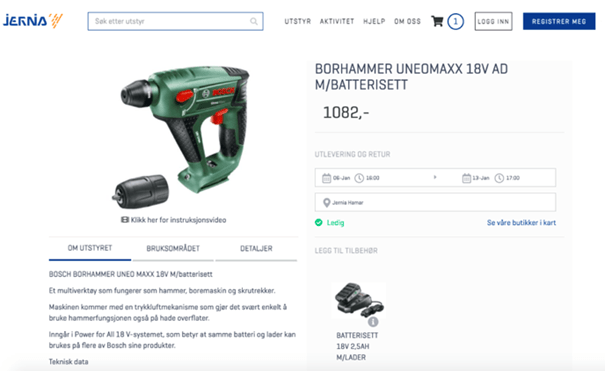
For rental and asset-based businesses, the calendar isn’t enough on its own — it has to be tied to specific inventory items, not just a generic “available/unavailable” flag. That’s what prevents the classic failure mode: two customers both “successfully” booking the same physical drill because the system only tracked a drill, not that drill.
Booking Software vs. a Generic Scheduling App
A generic appointment scheduling app is optimized for booking a person’s time; it is not built to track which physical asset a customer is walking away with. If your business rents anything — equipment, vehicles, storage units — a scheduler built for salons and consultants will eventually force you into workarounds (manual spreadsheets alongside the “digital” system, which defeats the point).
The practical differences:
- Contracts and deposits. Rental bookings usually need a signed agreement and a damage deposit attached to the transaction; most appointment schedulers have no concept of either.
- Multi-day and recurring bookings. A rental might run for three weeks; appointment schedulers are built around slots measured in minutes or hours.
- Return and condition tracking. Rentals need a “returned, checked, ready for next booking” state. Appointments don’t.
- ID verification. Vehicle and equipment rentals often need identity or license checks before handover — a feature category schedulers rarely touch.
If your business is purely appointment-based (no physical assets changing hands), a lighter scheduling app may genuinely be the better and cheaper fit. Buying rental-grade software for a haircut booking calendar is over-engineering in the other direction.

What Booking Software Costs
Expect a range rather than a single number — pricing in this category is usually tiered by booking volume, number of assets or staff, and which integrations you need. Most vendors, including Sharefox, offer a free trial period so you can test the calendar and self-service flow against your real inventory before committing.
A few patterns worth knowing before you compare quotes:
- Free or entry-level tiers typically cap the number of bookings, assets, or users — fine for testing, rarely enough to run on long-term.
- Payment processing and ID-verification integrations (for example with providers like Nets or Criipto) are sometimes priced separately from the core booking platform.
- Accounting integrations (Visma, QuickBooks, Xero) are usually included at mid and higher tiers, not entry tiers.
- The real cost comparison isn’t the subscription fee — it’s subscription fee plus the admin hours you’re still paying for if the software doesn’t actually eliminate manual double-checking.
What Breaks When Businesses Switch
What’s consistent across the rental and appointment businesses we work with, regardless of the specific case:
- The first week exposes every workaround the old system was hiding. Businesses discover how many bookings were being tracked “in someone’s head” rather than anywhere written down.
- Self-service adoption is gradual, not instant. Some customers keep calling out of habit for the first month even after online booking goes live — reminders and confirmation emails that point back to the self-service portal speed this up.
- The biggest measurable win is usually double-bookings going to zero, not the flashier features like automated reminders — because a double-booking is the failure that actually costs a sale or a refund.
Which Type of Booking Software Fits Your Business
| Business type | Primary booking need | Must-have feature | Nice-to-have |
|---|---|---|---|
| Salon, clinic, consultant (appointment-based) | Time slots per staff member | Live calendar, reminders | Waitlist management |
| Equipment / tool rental | Which specific unit, for how long | Inventory-linked calendar, contracts | Barcode/QR check-out |
| Vehicle / RV / trailer rental | Fleet availability across locations | Multi-location calendar, ID verification | Damage/condition logging |
| Self-storage | Unit availability + recurring billing | Online payment, access control integration | Automated lock/unlock |
| Mixed rental + retail + subscription | All of the above in one catalog | MultiCommerce (rent, sell, subscribe, book) | Unified reporting across models |
How to Choose: A 5-Step Framework
- Name what you’re actually booking — time, a specific asset, or both — before looking at any vendor. This single decision eliminates most of the market immediately.
- List your non-negotiable integrations — the accounting system, payment provider, or ID-verification tool you already use or plan to use.
- Test the self-service flow as a customer would, not just the admin dashboard — book something yourself, on mobile, and see where you get stuck.
- Check what happens at the edge cases — a same-day cancellation, an overlapping booking request, a multi-day rental — during the free trial, not after you’ve signed an annual contract.
- Confirm pricing at the volume you’ll actually be at in 12 months, not your current volume — entry tiers are often priced to look cheap and cap out fast.
Common Pitfalls When Adopting Booking Software
- Buying a scheduler for a rental business. The features look similar in a demo, but there’s no way to attach a specific physical asset to a booking — this surfaces only after go-live, when two customers show up for the same drill.
- Skipping the self-service test before rollout. If nobody on the team tries booking as a customer would before launch, the first real customer finds the broken step for you.
- Underestimating the change-management period. Staff who’ve taken bookings by phone for years don’t fully trust a calendar they didn’t fill in themselves — plan for a transition period with both channels running, not a hard cutover.
- Ignoring integration gaps until invoicing time. A booking system that doesn’t sync to your accounting software just moves the manual work from the calendar to the spreadsheet — you haven’t actually removed it.
- Choosing on price before checking asset/inventory limits. The cheapest tier often caps the number of bookable assets or locations well below what a growing rental business needs within a year.



 All in one platform


