 Skip to main content



Missed appointments and no-shows are one of the quietest revenue leaks in the rental industry — a customer forgets a pickup time, a payment reminder never lands, and a booking that was already confirmed simply doesn’t happen. SMS notifications solve this in a way few other channels can: they land in a pocket, not an inbox, and they get read almost immediately. This guide walks through what SMS notifications are, how they compare to push notifications, and how to build a compliant, effective SMS strategy that reduces no-shows and boosts your bookings.
Understanding SMS Notifications
What Is an SMS Notification?
An SMS notification is a short text message (SMS = Short Message Service) sent directly to a customer’s mobile phone number, independent of any app. Unlike email, which can sit unread in a crowded inbox, or a phone call, which requires the recipient to be free, an SMS message is delivered straight into the native messaging app on virtually any mobile device — smartphone or basic phone alike. That universality is what makes SMS such a reliable layer in a rental booking system: it doesn’t depend on the customer having installed anything or having a strong internet connection at the moment the message arrives.
SMS Notifications vs Push Notifications
Both channels aim to alert customers, but they work very differently:
- SMS is capped at 160 characters per segment, delivered through the phone’s native carrier network, and reaches a customer whether or not they’ve installed your app.
- Push notifications are sent by an installed app and appear on the lock screen or notification bar — but only if the app is installed, the user has allowed notifications, and the device has an internet connection.
For rental and subscription businesses, this distinction matters. Many customers book a single rental — a car, a kayak, a piece of construction equipment — without ever installing a dedicated app. SMS reaches them anyway.
Common Use Cases for SMS Notifications
The most common, and most valuable, use case is the appointment or pickup reminder, which measurably reduces no-shows. Beyond that, rental operators commonly use SMS for:
- Booking confirmations right after checkout
- Pickup and return time reminders
- Payment or invoice due-date alerts
- Late-return or overdue notices
- Time-sensitive updates, such as a weather closure or schedule change
If you’re building this into an online rental reservation flow, SMS is typically the layer that turns a passive confirmation email into an active nudge the customer actually sees.
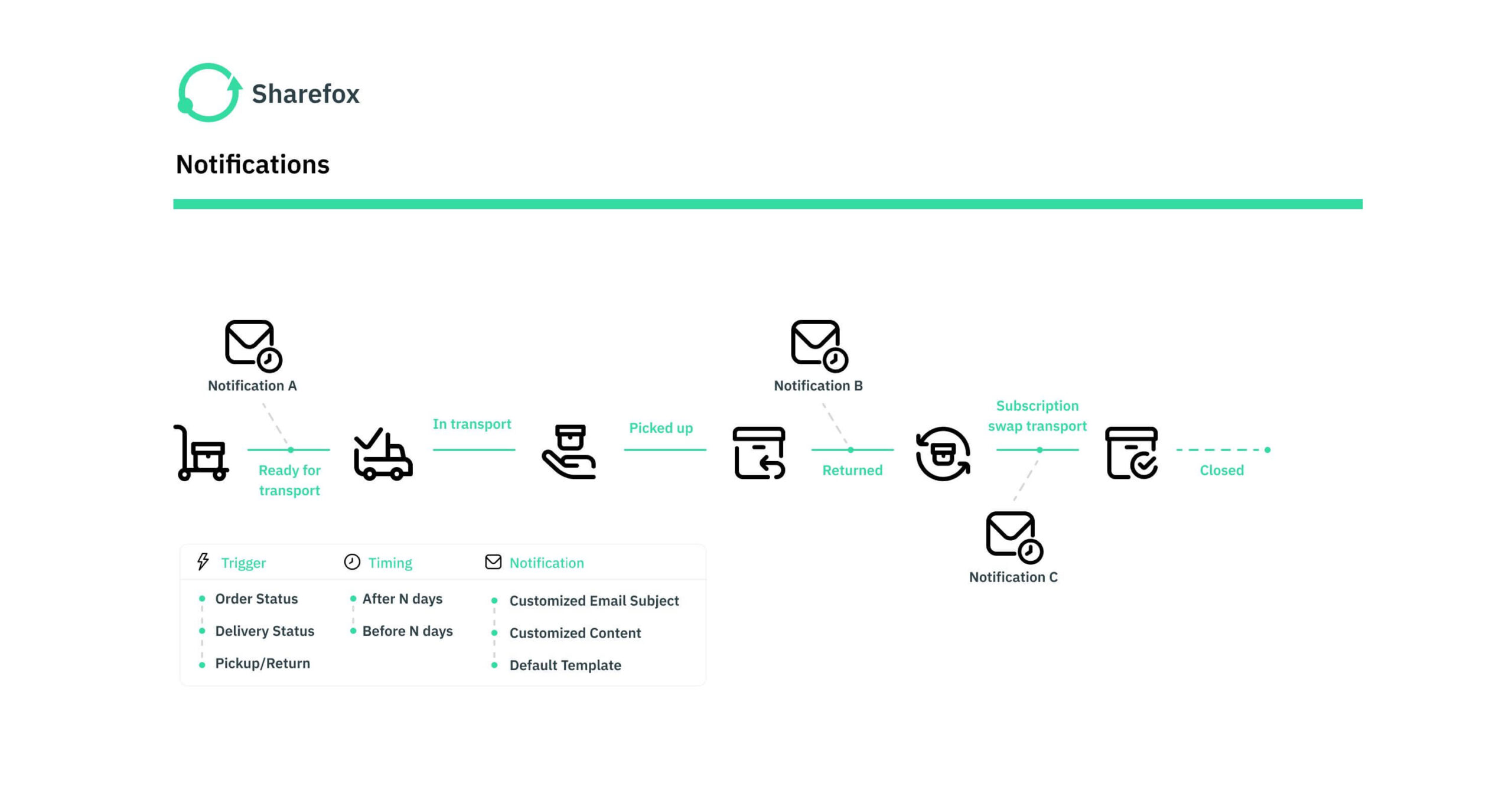
“The businesses that get SMS timing right don’t just send fewer reminders — they get fewer no-shows and calmer front desks,” notes the Sharefox product team, drawing on patterns seen across rental and subscription operators using automated booking reminders.
Implementing SMS Notification Services
Choosing the Right SMS Notification Service
A good SMS notification provider offers more than the ability to send a text. Look for:
- A reliable SMS API that integrates with your existing rental booking software or CRM
- Delivery reporting, so you can see what actually reached the customer
- Support for bulk sending as well as individually triggered messages
- Transparent per-message pricing
- Responsive customer support when a delivery issue needs troubleshooting
Best Practices for Sending SMS Notifications
- Get explicit consent first. Never add a phone number to your SMS list without clear opt-in — this is both a trust issue and a legal requirement (more on that below).
- Keep it short and specific. Stay within the 160-character limit and lead with the action the customer needs to take.
- Personalize where it matters. Including the customer’s name and booking details (not just “your order”) measurably improves engagement.
- Time it deliberately. A reminder sent too far in advance gets forgotten; one sent too late is useless. Match timing to your typical booking window.
- Give customers an easy way to opt out. A simple “reply STOP” instruction protects both compliance and goodwill.
Sending SMS Messages: Step-by-Step
- Connect your SMS provider to your booking system. Most rental platforms support this through a native integration or payment and confirmation workflow, so messages trigger automatically from real booking events rather than manual sending.
- Build a small library of templates — confirmation, reminder, and overdue/return notices cover most needs.
- Automate the send. Let the booking system fire the message at the right point in the customer journey rather than relying on staff to remember.
- Review performance regularly. Delivery rate, response rate, and no-show rate are the three numbers worth tracking month over month.
Enhancing Customer Experience with SMS
Effective SMS Messaging Strategies
Segmenting your contact list — separating first-time renters from repeat customers, for example — makes each message more relevant. Combined with details pulled from the customer’s actual booking record, this turns a generic alert into a message that reads as genuinely useful rather than automated noise.
Using SMS for Alerts and Reminders
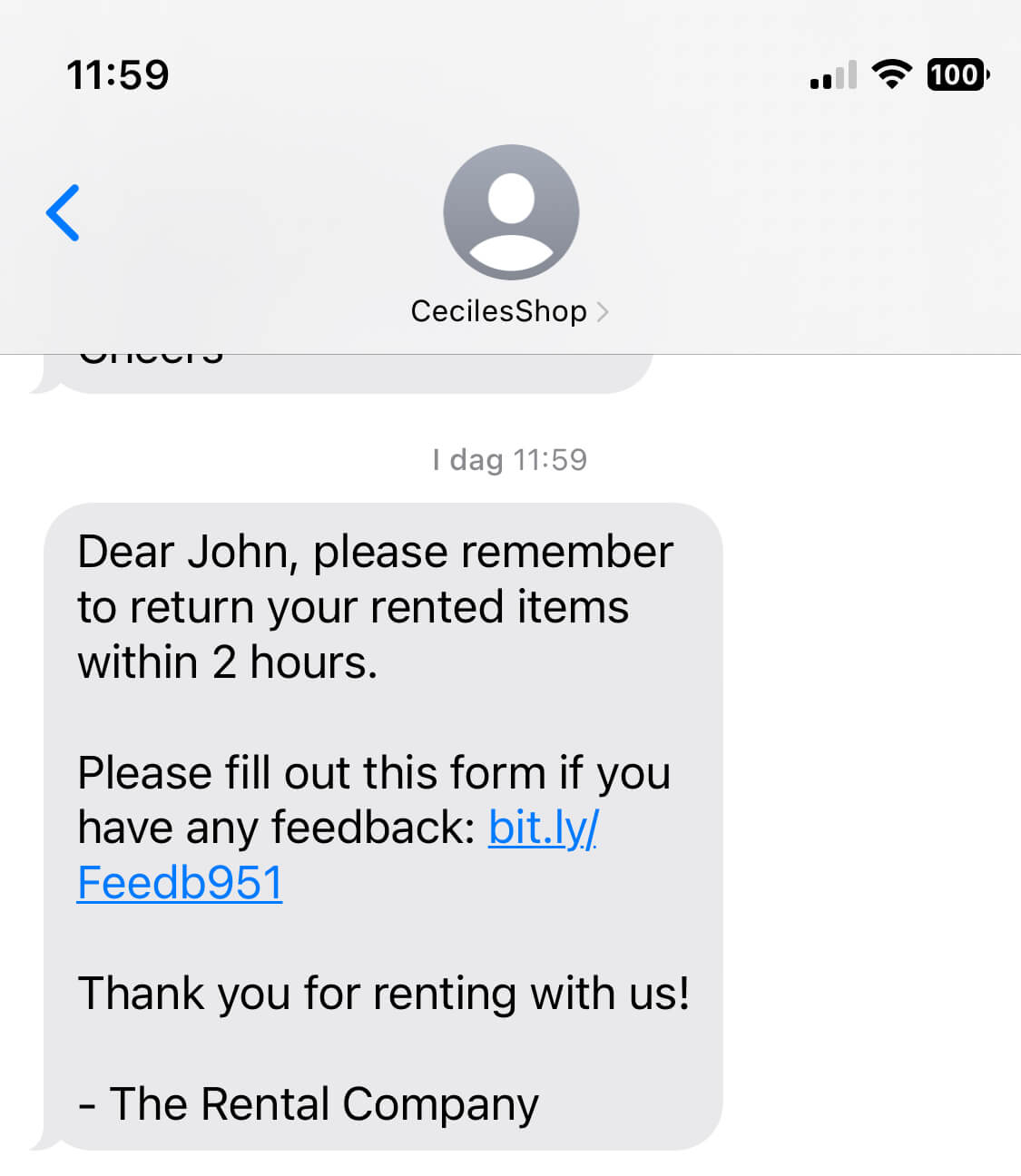
Reminders are where SMS earns its keep operationally. A well-timed pickup reminder reduces no-shows; a return reminder reduces late fees and disputes; a weather or availability alert prevents a wasted trip. Each of these small interventions adds up to a smoother customer experience and less manual chasing for your team.
Integrating SMS with Other Channels
SMS works best as one layer in a broader communication strategy, not a replacement for all of it:
| Channel | Typical open rate* | Requires app/internet | Best for |
|---|---|---|---|
| SMS | Very high | No (native network) | Urgent reminders, confirmations, time-sensitive alerts |
| Low to moderate | Internet connection | Detailed information, receipts, marketing campaigns | |
| Push notification | Moderate (among those with the app installed) | Yes — app + notifications enabled | In-app engagement, loyalty, repeat-customer marketing |
*General patterns drawn from published SMS and email marketing benchmark reports (see Sources & References below); actual results vary by industry, list quality, and message content.
Use SMS for anything urgent or time-bound, keep email for detail and marketing, and layer in push for customers who already have your app.

 All in one platform


