 Skip to main content


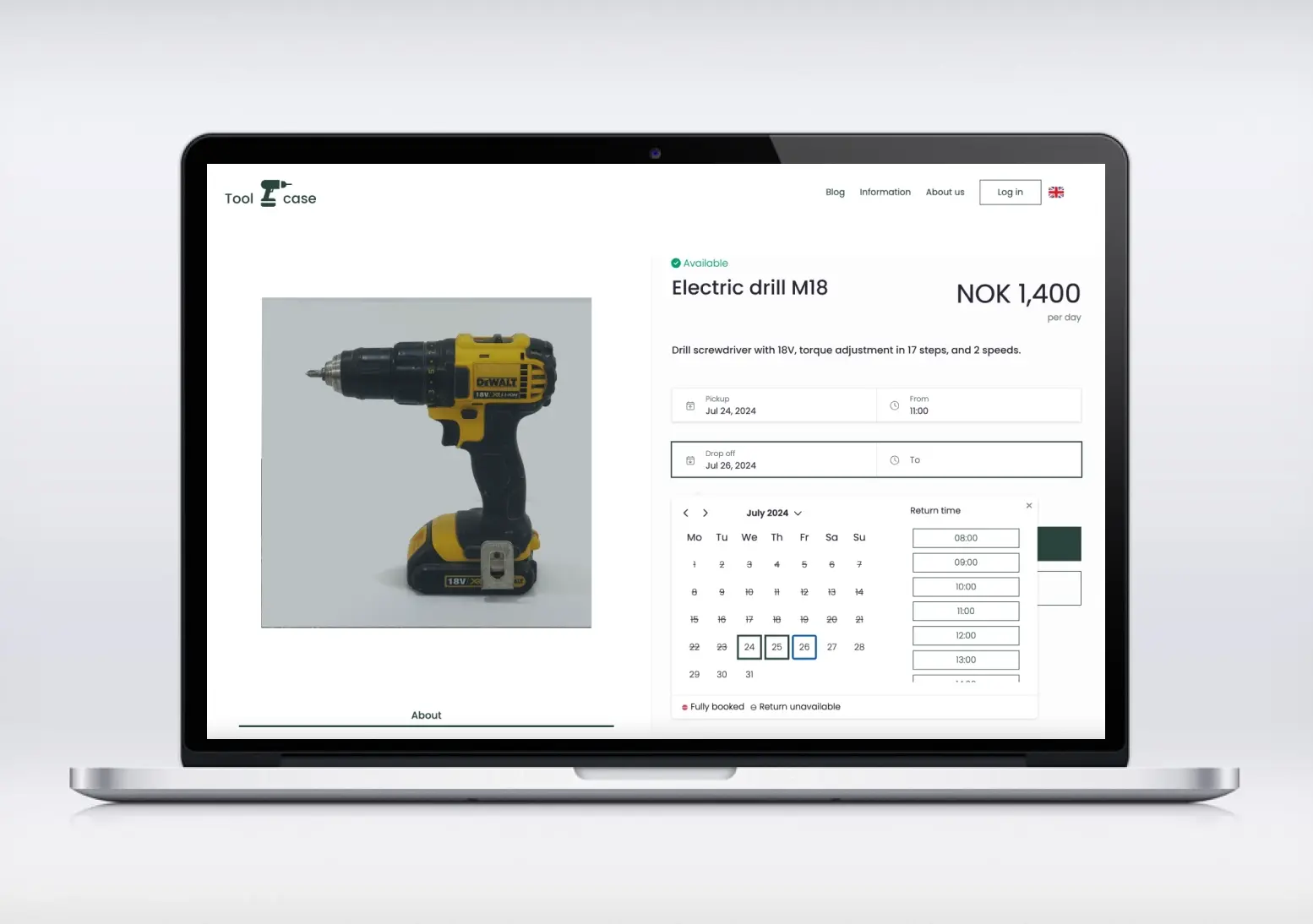
In today’s fast-paced rental market, efficiency and customer convenience are paramount. A robust booking calendar is not just a luxury; it’s a fundamental tool that empowers businesses to streamline operations, enhance customer experience, and ultimately drive growth. This article explores the transformative power of booking calendars — their types, benefits, and how to fold one into your rental business strategy without disrupting the operations you already rely on.
“Efficiency is doing better what is already being done.” — Peter Drucker
That idea sits at the heart of every good booking calendar: it doesn’t reinvent your rental business, it removes the friction from the parts that already work.
Understanding Booking Calendars
What is a Booking Calendar?
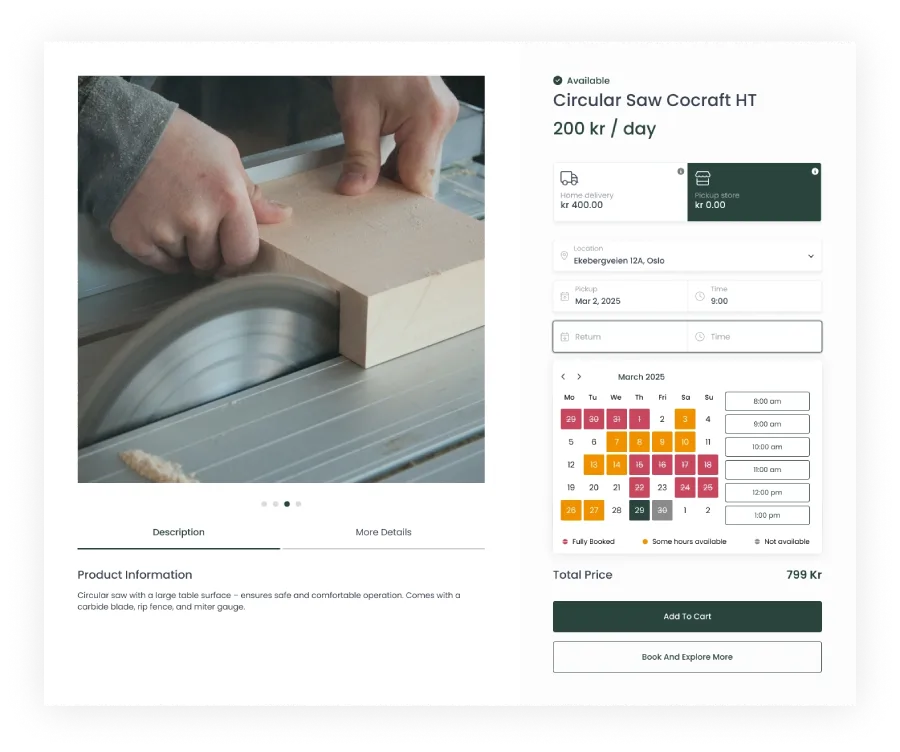
A booking calendar is a digital tool designed to manage appointments, reservations, and resource allocation efficiently. It gives customers a visual, real-time view of availability so they can reserve specific dates or resources themselves. This eliminates manual tracking, cuts administrative burden, and reduces human error — which matters for any operator aiming to run booking, inventory, and invoicing from a single online rental store. It’s the cornerstone of any effective online booking system.
Types of Booking Calendars
Booking calendars range widely in sophistication, from simple WordPress plugins — a WP booking calendar or booking calendar plugin bolted onto an existing site — to full rental commerce platforms with booking, payments, and inventory built in natively.
| Solution Type | Key Features | Best Suited For |
|---|---|---|
| Complete rental management system (e.g., Sharefox) | Booking manager, self-service rentals, automated check-in/out, native inventory and invoicing | Operators who want one system instead of stitching plugins together |
| Standalone WordPress booking plugin | Lightweight calendar and reservation form embedded on an existing site | Very small operators with simple, low-volume booking needs |
| Generic appointment scheduling tool | Calendar sync (e.g., with Google Calendar), reminders | Service businesses without rental inventory to manage |
Benefits of Using a Booking Calendar
Implementing a booking calendar delivers benefits that compound over time. It frees staff from manual admin so they can focus on strategic work, and — paired with automated email notifications and reminders — it measurably reduces no-shows and improves resource utilization.
| Role | Benefit of a Booking Calendar |
|---|---|
| Mobility manager | Lets customers book and return vehicles independently, with ID verification and payment built into the flow |
| Self-storage or property manager | Offers online booking and payment for units through self-storage software, cutting dependence on staff or a physical reception desk |
Implementing Appointment Scheduling
Choosing the Right Appointment Scheduling Tool
Selecting the right tool is a pivotal step in optimizing rental operations. Platforms like Sharefox position themselves as comprehensive rental commerce solutions for equipment, tools, vehicles, and self-storage operators — covering SMB and mid-market segments with robust APIs and ready-made integrations for digital agencies and implementation partners, so your booking calendar stays connected to the rest of your stack rather than becoming another silo.
Integrating a Booking Calendar with Your Website
For WordPress-based sites, integrating a booking calendar plugin is usually a matter of installing the plugin and configuring it to match your services. Done well, customers can navigate to available time slots and complete a reservation directly on your site, without a phone call or an email back-and-forth.
Setting Up a Booking Page
Once your booking software is in place, a dedicated booking page becomes the hub for reservations — where you display available resources, configure the booking form, and match the design to your brand. A well-built page, similar in spirit to the templates covered in our guide to building a rental page, simplifies the entire scheduling process for customers.
Enhancing User Experience with Online Booking
Streamlining the Booking Process
A key benefit of a robust booking calendar is a genuine self-service experience for both B2C and B2B customers. Sharefox, for example, lets customers book and return items on their own, while mobility managers automate check-in/out with digital tools — turning what used to be a counter transaction into a self-service, full-day booking journey.
Utilizing Built-In Features of Booking Plugins
Built-in plugin features extend what a booking calendar can do for your operation:
| Feature Category | Specific Features |
|---|---|
| Management & rental types | Booking and inventory management, self-service check-in/out, support for subscription, short-term, and long-term rentals |
| Advanced functionality | Advanced pricing configuration, sales and service bookings, MultiCommerce flexibility for hybrid models (rent, sell, subscribe), analytics and automation |
Taking Payments Through Your Booking Calendar
Integrating payments directly into the booking calendar is essential for a seamless customer journey. Sharefox’s full ecosystem integrations, including payments, let operators connect accounting and payment processing without extra middleware — as covered in our piece on invoicing and accounting integrations. Mobility managers can bundle in ID verification, while self-storage operators can accept online payment for units directly, cutting dependence on physical reception.
Effective Follow-Up and Reminders
Importance of Follow-Up Communications
Follow-up communication is one of the highest-leverage, lowest-cost parts of running a booking calendar. Timely email notifications and SMS reminders reinforce appointments and carry practical details — directions, preparation instructions, pickup times — while signaling to the customer that your operation is organized and easy to deal with.
Setting Up Automated Reminders
Automating reminders is a cornerstone of efficient appointment scheduling. Configurable email and SMS reminders, dispatched at set intervals before an appointment, can be templated to match your brand voice. Our guide on using SMS notifications to boost bookings walks through setup in more detail. Automated reminders save staff time and reduce no-shows — one of the clearest, most measurable returns a booking calendar delivers.
Best Practices for Customer Engagement
Engagement is about more than reminders — it’s the whole touchpoint, from booking page design to confirmation messages. Offer easy rescheduling or cancellation, and personalize follow-ups based on booking type or date. An intuitive, low-friction process is what turns a one-time booking into a repeat customer.
Maximizing Your Rental Business with Booking Tools
Analyzing Booking Data for Business Growth
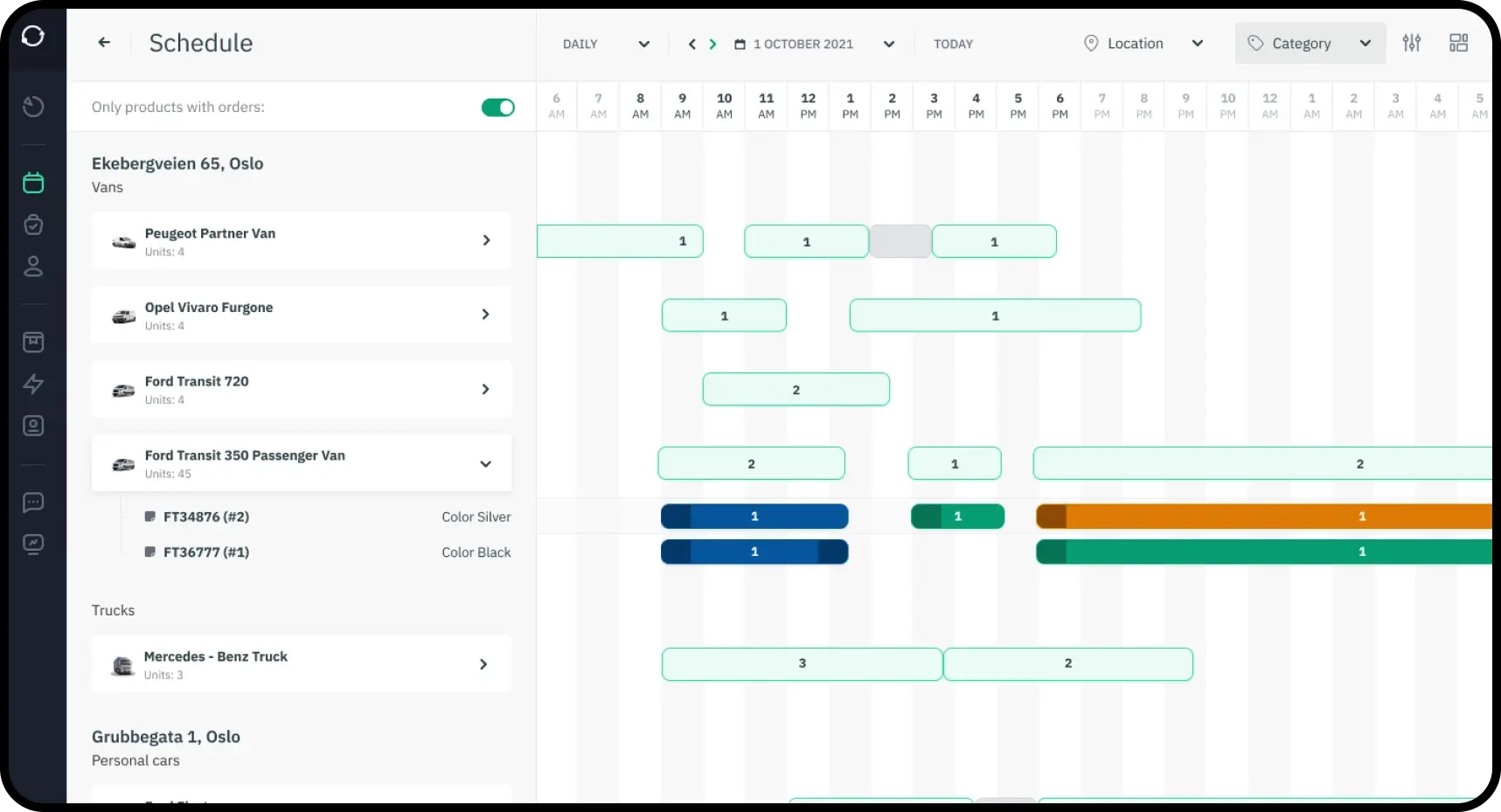
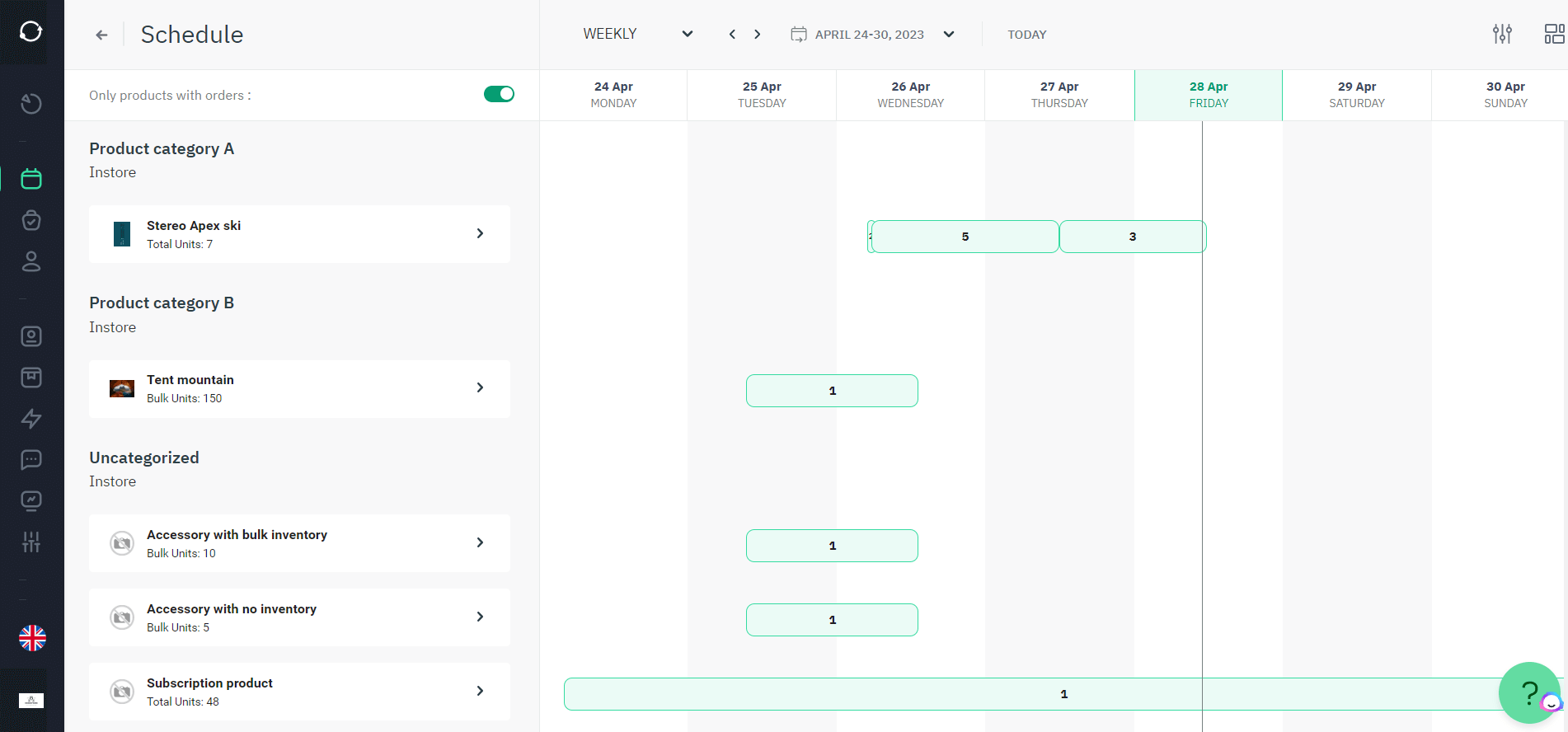
Booking data is one of the most underused assets in a rental business. Analytics and automation built into the booking calendar reveal trends in booking frequency, popular time slots, and customer demographics — insight you can use to lift utilization and revenue per asset. For self-storage and property managers, this same data helps balance growth with operational efficiency, supporting 24/7 self-service and recurring revenue.
Optimizing Your Calendar for Peak Seasons
Peak seasons can turn into operational chaos without preparation. Use your booking software’s customization features to create dedicated resources for high-demand periods, and adjust pricing or staffing proactively. Handling multiple full-day bookings without overwhelming your team is what separates organized peak-season operators from reactive ones.
Comparing Manual Booking vs. a Digital Booking Calendar
The table below illustrates the typical operational difference operators report after moving from manual, phone/email-based booking to a digital booking calendar. Figures are indicative and will vary by business size and vertical — treat them as a directional comparison, not a guarantee.
Future Trends in Appointment Booking Technology
Appointment booking technology keeps evolving. Expect deeper integration with AI scheduling tools that suggest optimal booking times, richer customization, broader third-party integrations, and more predictive analytics — all pushing booking calendars toward being intuitive by default rather than something customers have to learn.

 All in one platform


