 Skip to main content


Spring is here, and many rental businesses are putting the final touches on their operations before the busy season hits. That makes this a good moment to step back and ask: where can you become even more efficient going forward? This April product update rounds up the tools, fixes, and improvements we’ve shipped to help you answer that question — from pricing display logic to a brand-new utilization report, plus a few quality-of-life fixes across booking, checkout, and self-service.
As an all-in-one rental commerce platform, Sharefox continuously ships updates aimed at three things: streamlining your day-to-day operations, improving the experience your customers get in your online rental store, and giving you more control over pricing, inventory, and scheduling. Here’s everything that landed this April.
Why We Publish Monthly Product Updates
Announcing product updates regularly isn’t just a courtesy notification — it’s how we keep our user base informed, engaged, and getting full value out of the platform. Every release note is a chance to show the continuous improvement happening behind the scenes and to make sure new functionality actually gets adopted, not just shipped. Clear, benefit-oriented communication is what turns a changelog entry into a workflow your team actually uses.
“Efficiency isn’t just about doing more — it’s about doing it with less friction, for both your team and your customers.” — Sharefox Product Team
What’s New This Release
Admin Order Page: Prices Shown Ex. VAT for Companies
In Admin → Orders → Order pages, you’ll now see, by default, prices excluding VAT when the customer is a company, and prices including VAT when the customer is a private individual. This mirrors how most B2B and B2C invoicing conventions work in practice, and it removes a manual step that used to trip up teams processing mixed order types.
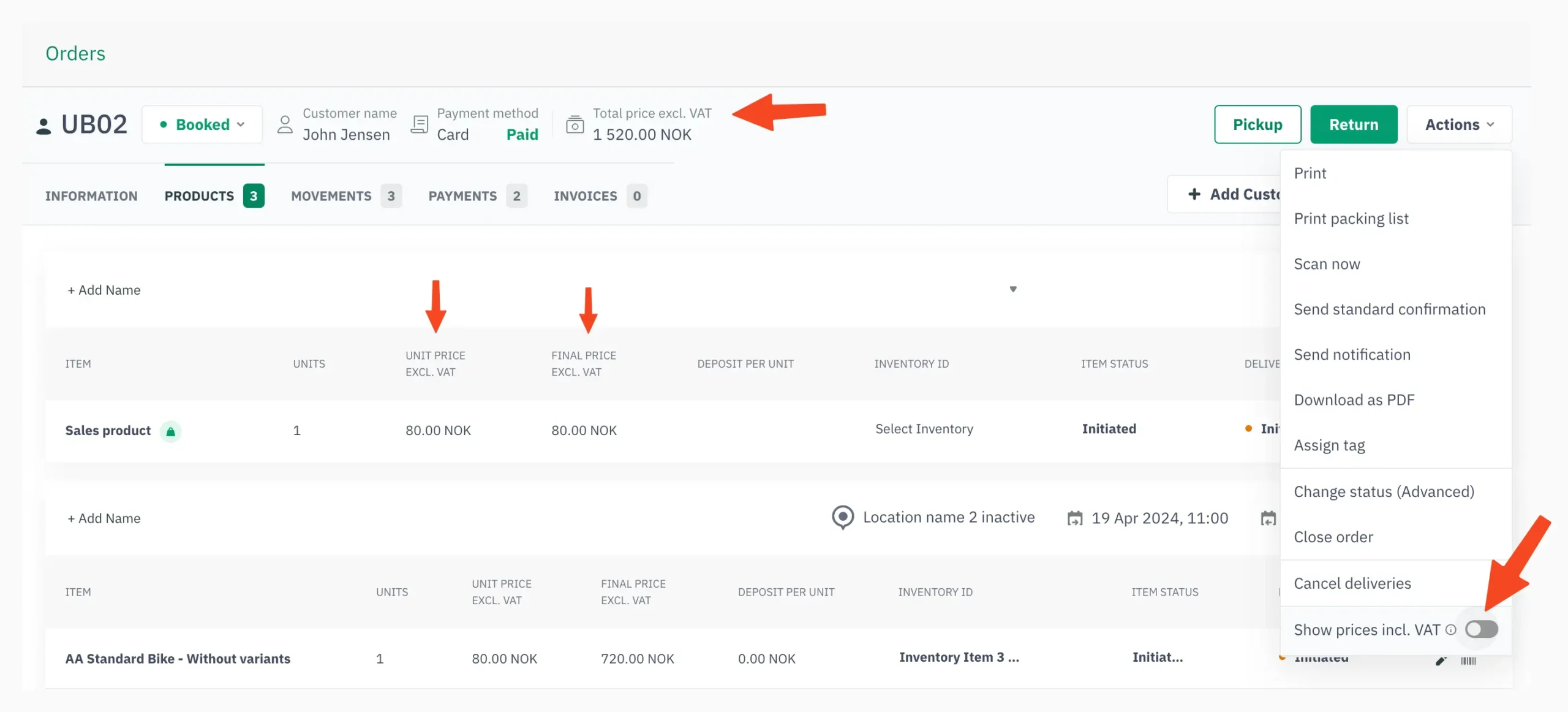
This default can be changed for your company — contact our support team if you’d prefer different logic for your shop. You can also switch between ex./incl. VAT on a single order at any time via Order → Actions → Show prices incl. VAT.
Company
B2B customer
Default price display
Ex. VAT
Private
B2C customer
Default price display
Incl. VAT
Custom
Company logic
Default price display
Configurable
Product Utilization Report
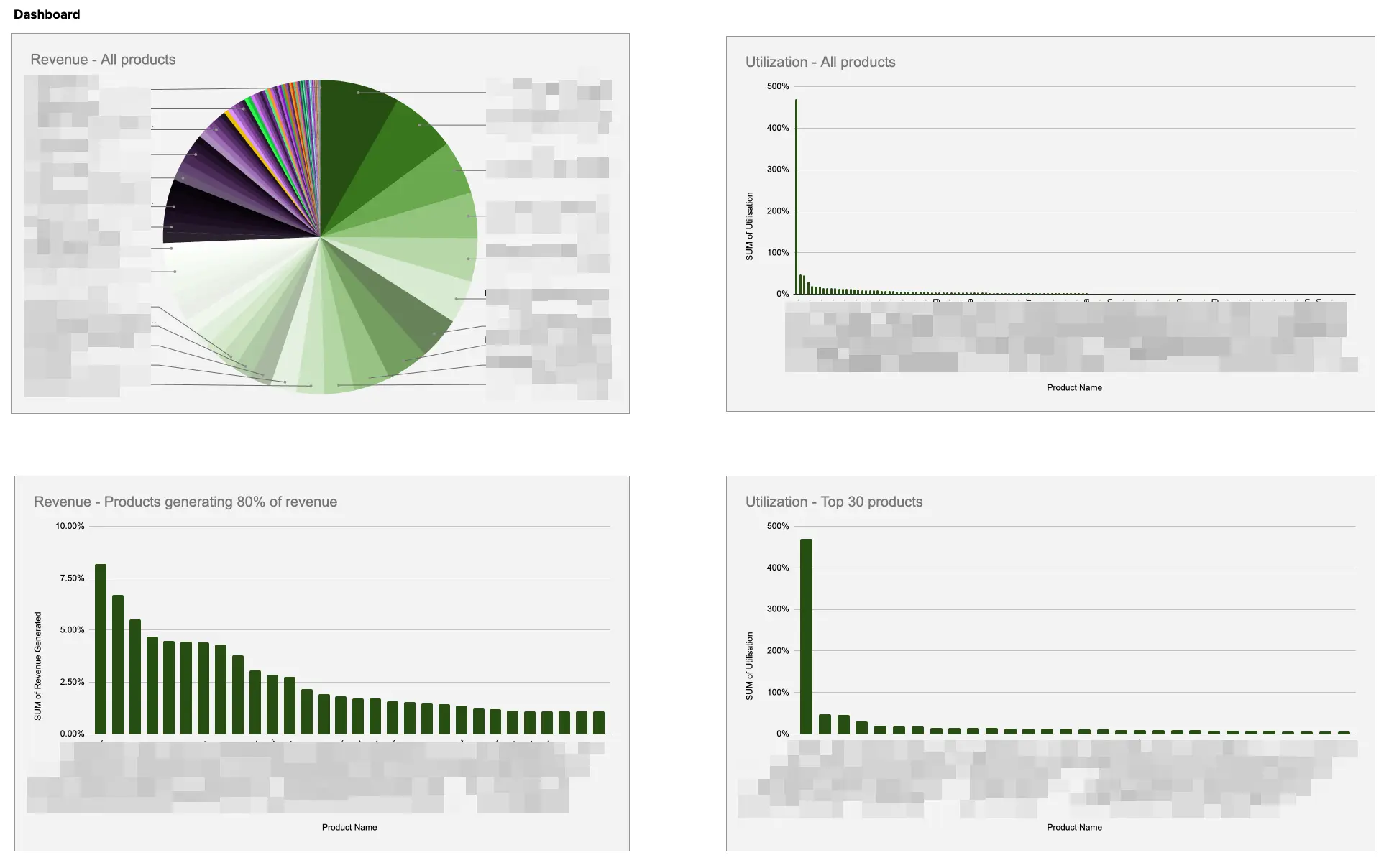
Optimizing the utilization rate of your rental fleet is one of the most direct levers on profitability — and now you can get a full picture of it. We can produce a utilization and sales report for your shop, delivered as an Excel file, covering all your products over any given period. It’s a great planning tool heading into the season, and it pairs naturally with the reporting already available through your rental inventory management software.
- Format: Excel file
- Scope: Utilization and sales for all non-package rental products
- Cost: 1,400 NOK ex. VAT per report
- How to request it: Email support@sharefox.no
Facebook Messenger Chat Plugin Is Being Discontinued
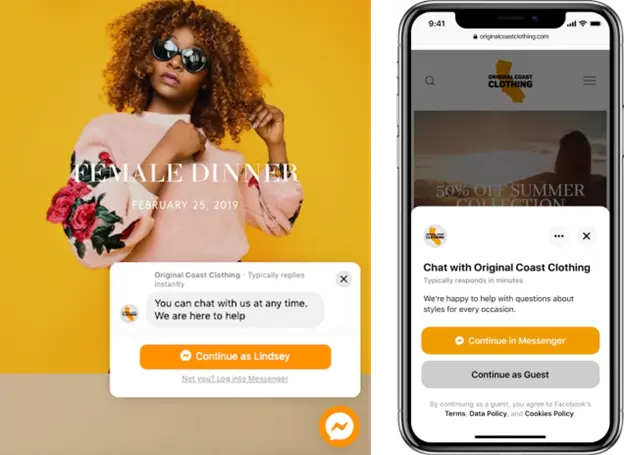
Meta has confirmed that the Facebook Messenger Chat Plugin will be discontinued on 9 May 2024, as detailed in Meta’s own developer announcement. If your shop currently uses this plugin to chat with visitors, it’s worth planning a replacement before that date.
Chat With Your Shop Visitors: What to Use Instead
A live chat widget embedded directly in your storefront is one of the simpler ways to lift conversion — visitors who have a question answered in real time are far more likely to complete a booking. Two solid alternatives to the outgoing Facebook Messenger plugin are tawk.to and LiveChat.
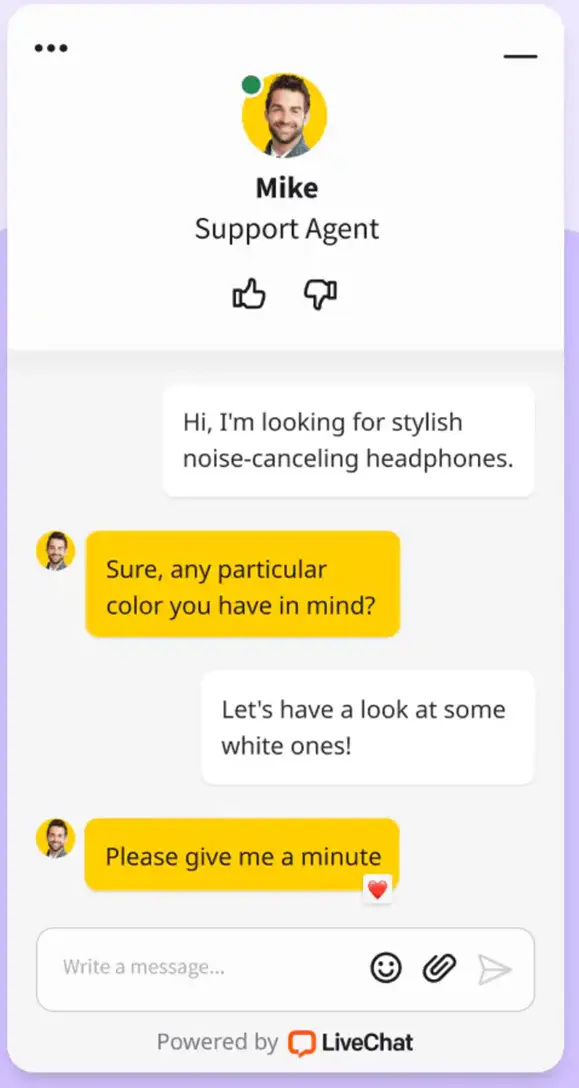
| Feature | tawk.to | LiveChat | Facebook Messenger (discontinued 9 May 2024) |
|---|---|---|---|
| Free tier available | Yes | No (trial only) | N/A |
| Native website widget | Yes | Yes | Plugin-based, being retired |
| Ties to a social platform | No | No | Yes (Meta/Facebook) |
| Sharefox can install it for you | Yes, for a small fee | Yes, for a small fee | No longer applicable |
Get in touch at support@sharefox.no if you’d like us to install either option for you.
Click-to-Create Orders Directly From the Schedule
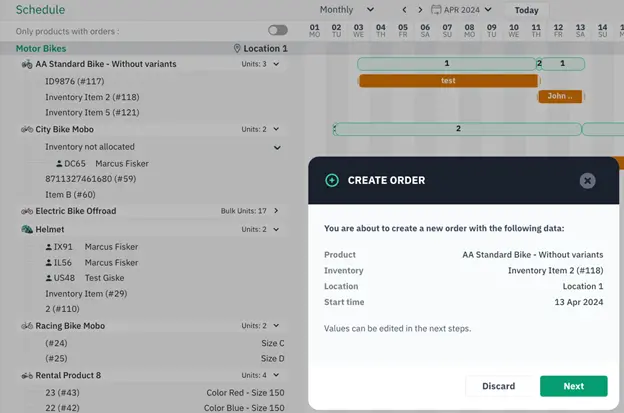
If you assign orders to specific inventory items, this one will save you real time. Rolling out within days: you’ll be able to click into an empty space next to an inventory item in the Schedule — anywhere with no current bookings — and create an order directly from that spot. It’s built for the moment a customer calls, you visually confirm availability, and you want to get the booking done without leaving the calendar view. This complements the scheduling logic already in Sharefox’s rental booking software.
Pre-Selection of Country in the Shop Cart
When a new customer checks out, the country field is now pre-selected to match your shop’s own country. A small change, but one that removes friction at exactly the point where drop-off is most costly — the online rental store checkout.
Inlet: Added Retry Mechanism
If you run a self-service rental setup using Inlet, inventory allocation now includes a retry mechanism. If Inlet experiences any downtime or connection errors, the system will retry to make sure allocation still completes — reducing the risk of a customer showing up to an unlock that didn’t process correctly.
Global Availability: Search Parameters Remembered
When a user returns to your front page after first selecting a location and dates in the global availability selector, those search parameters are now remembered and pre-filled. A small improvement, but one that smooths out the user journey and reduces repeated data entry.
Getting the Most Out of This Update
None of these features create value sitting unused. A few practical next steps:
- Review your VAT display settings with your team ahead of peak season — especially if you serve a mix of B2B and B2C customers.
- Request your utilization report before the season ramps up, so you can rebalance your fleet while there’s still time to act on the data.
- Replace Facebook Messenger now, rather than waiting until 9 May, so there’s no gap in how visitors reach you.
- Try the Schedule click-to-create flow the next time a phone booking comes in — it’s designed for exactly that scenario.
If you want a deeper walkthrough of any of these, our Academy has step-by-step guides, and support is always available for setup questions.
 All in one platform


